
How to enable Region Restrictions
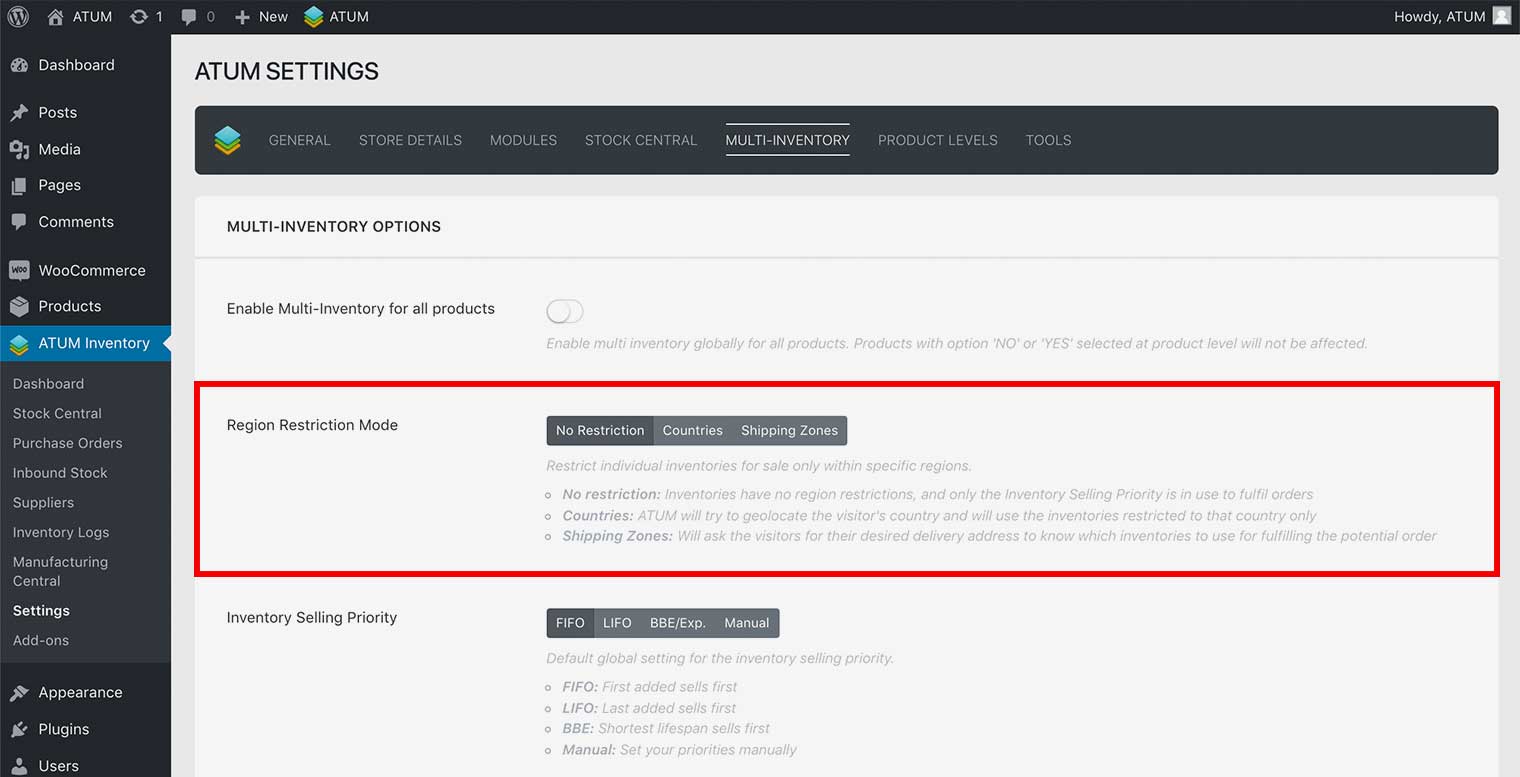
- In WordPress admin panel, go to ATUM Inventory > Settings > Multi-Inventory.
- Select the restriction mode you prefer to use:
- No restriction: Inventories have no region restrictions, and only the Inventory Selling Priority is in use to fulfil orders.
- Countries: ATUM will try to geolocate the visitor’s country and will use the inventories restricted to that country only. When choosing this option, a new drop-down menu appears below.
- Shipping Zones: Will ask the visitors for their desired delivery address to know which inventories to use for fulfilling the potential order. When choosing this option, a new drop-down menu appears below.
WARNING:When you enable Region Restriction Mode (Countries or Shipping Zones) ALL the Multi-Inventory products show Out of Stock in your shop until you add a region to the inventories.
- Click Update Settings.