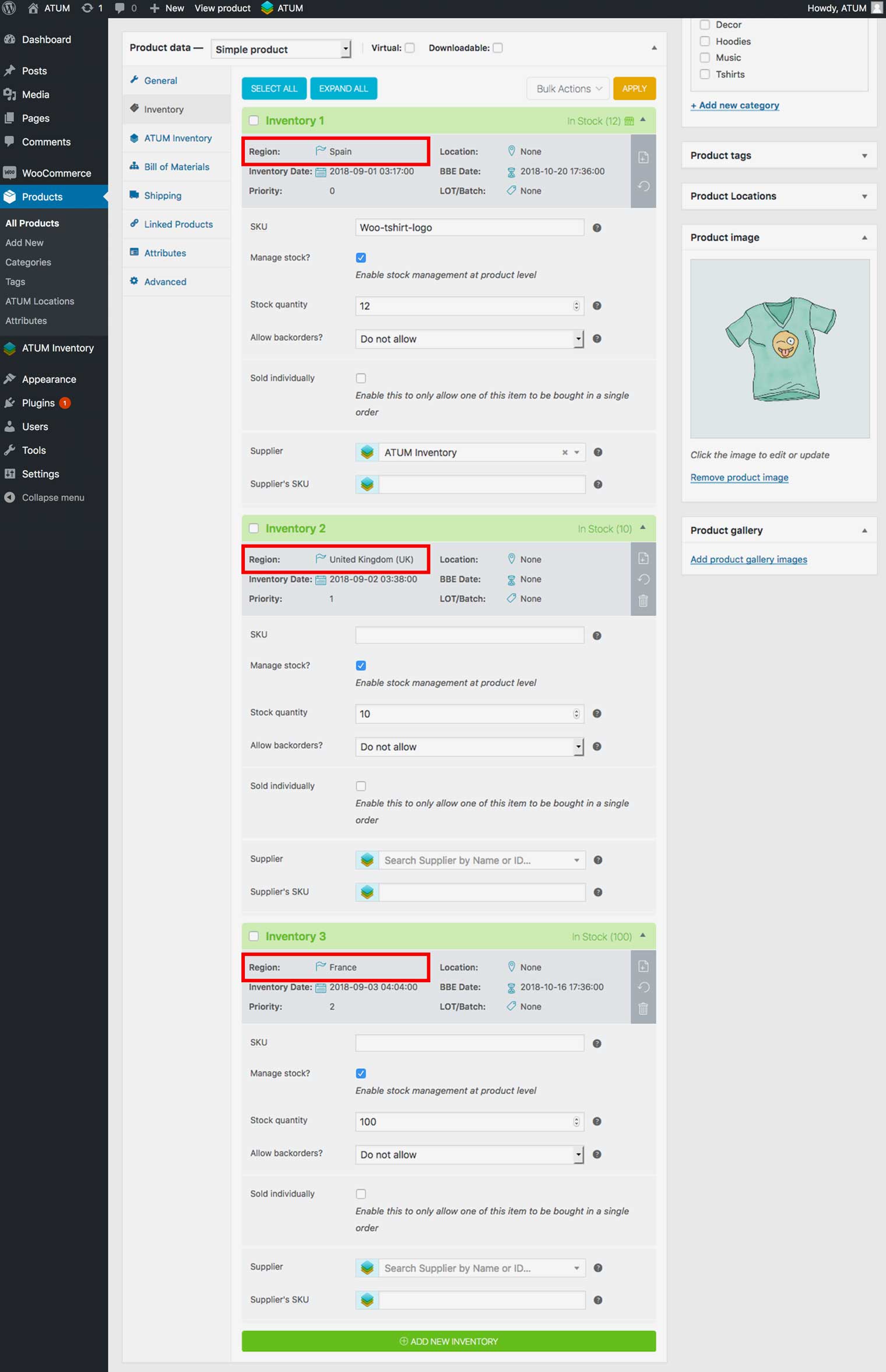
Migrate from Zones to Countries
If you are using the Zone Restrictions Mode and you want to change from Zone the Countries Restriction Mode, ATUM Multi-Inventory will help you to bulk migrate Zones to Countries to make your life easier.
Example: you have inventories restricted to sell products only in three shipping zones: Shipping Zone1, 2 & 3 and you decide to change to the Countries Restrictions Mode. You can use the Migrate from Zones to Countries Tool.
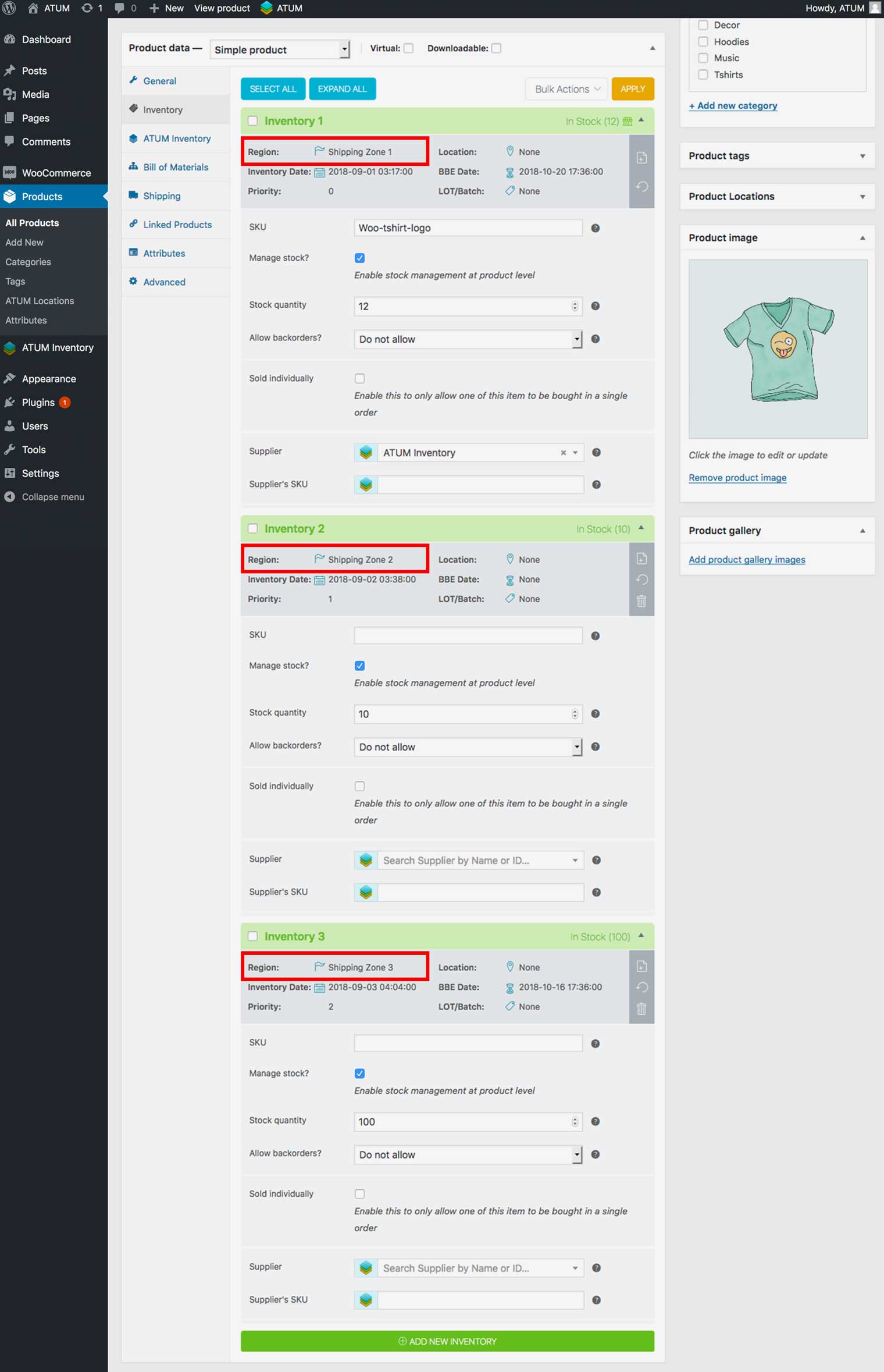
MIGRATE FROM ZONES TO COUNTRIES
- In WordPress admin panel, go to ATUM Inventory > Settings > Tools.
- In Migrate from Zones to Countries, select the shipping zone to migrate from and select the destination country OR countries.
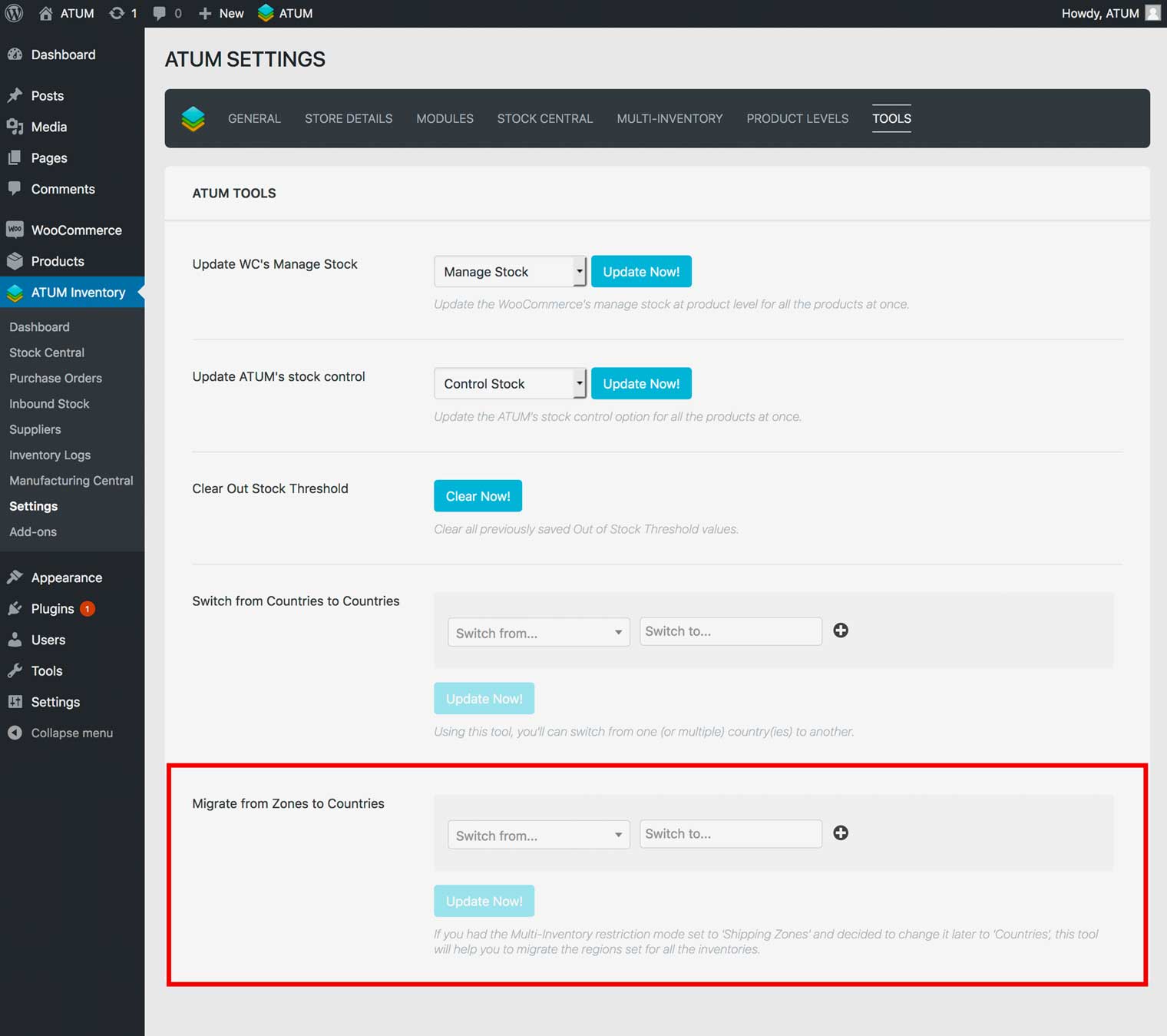
- Click Update Now.
Following the above example, let’s migrate Shipping Zones 1, 2 & 3 to three countries, Spain, the UK and France. Here is the setup:
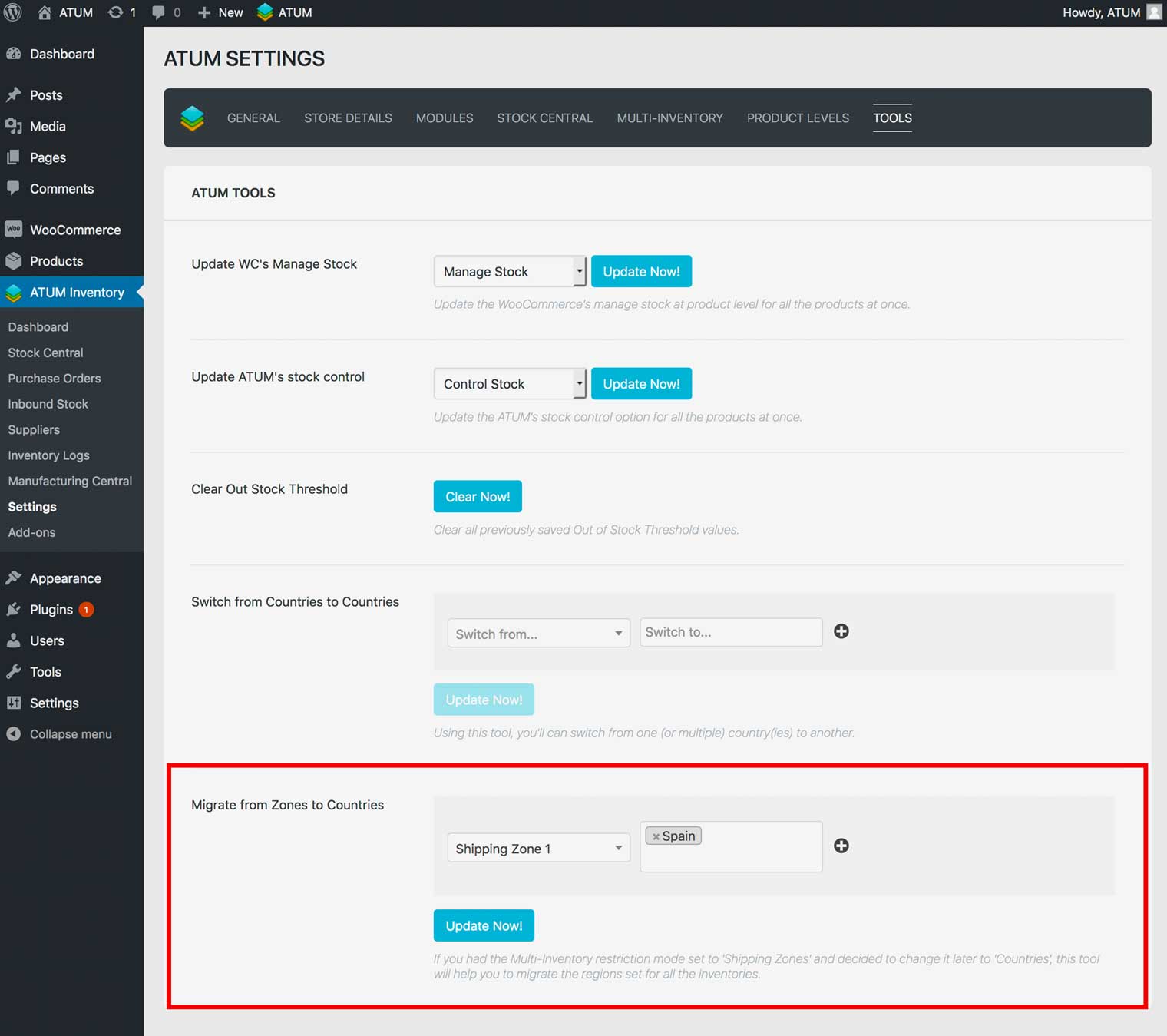
We should repeat this process twice to migrate Zones 2 & 3 to UK and France. Done.