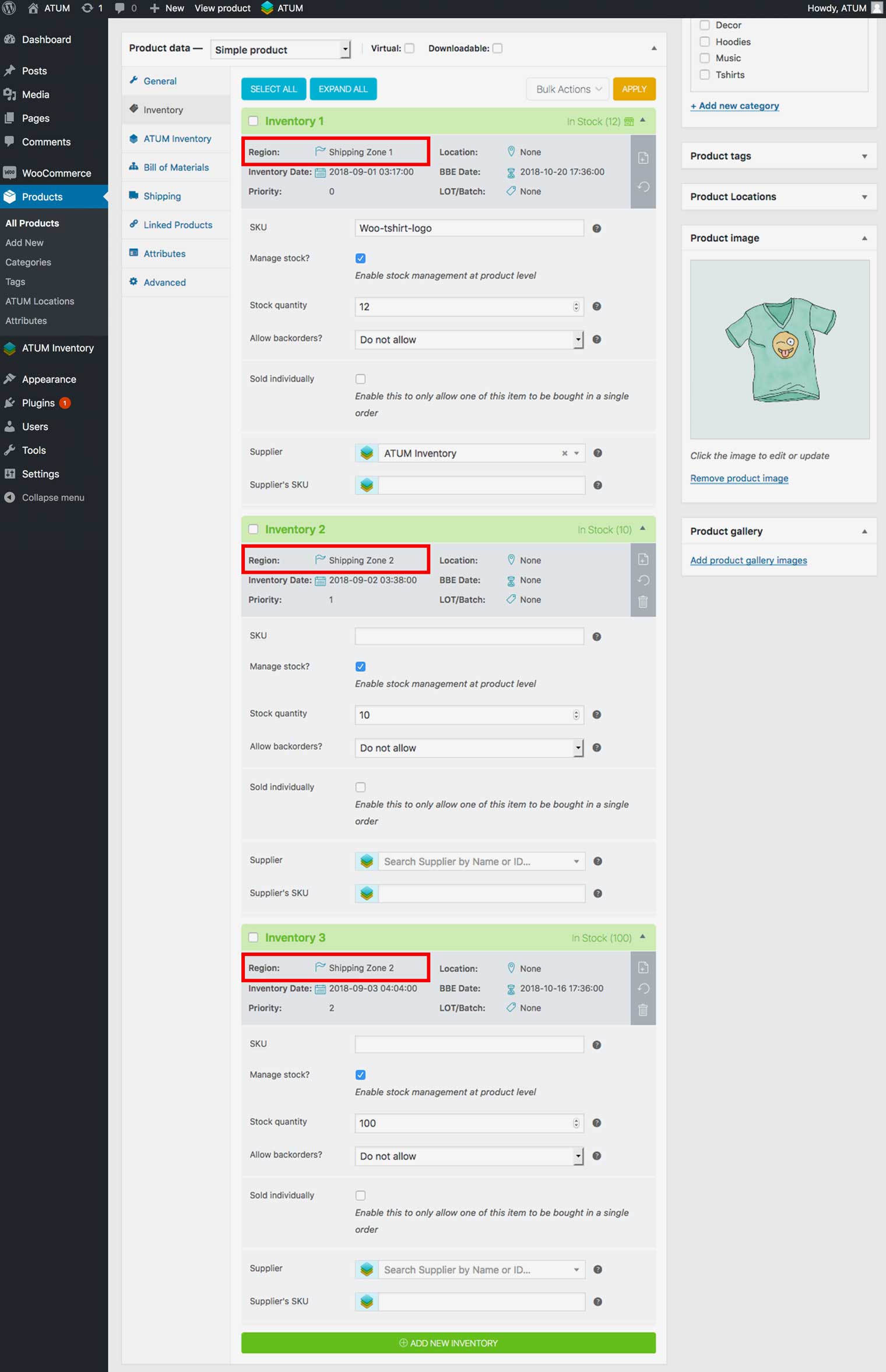
Switch from Zones to Zones
If you are using the Zone Restriction Mode and need to switch zones of the inventories, ATUM Multi-Inventory allows you to do bulk action the change to make your life easier.
*Example: you have three different zone restrictions in your inventories: Shipping Zone 1, Shipping Zone 2 and Shipping Zone 3; and you have assigned this shipping zones restriction to a lot of inventories. Now you want to delete the Shipping Zone 3 and need to attach their inventories to the Shipping Zone 2. Got you covered there :-). You can do it easily with the tool called Switch from Zones to Zones .
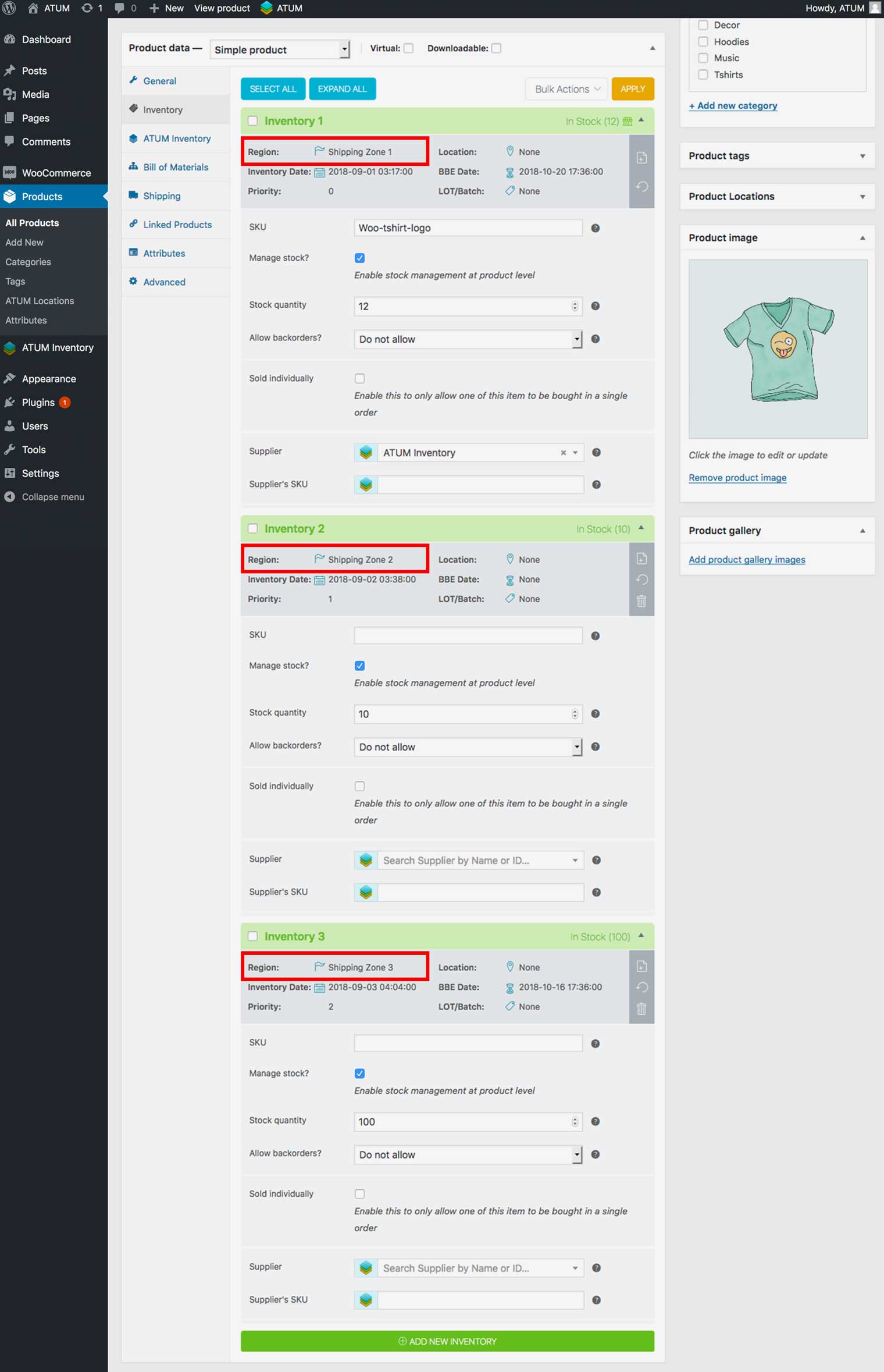
SWITCH SHIPPING ZONES
- In WordPress admin panel, go to ATUM Inventory > Settings > Tools.
- In Switch from Zones to Zones, select the shipping zone to switch from and select the destination shipping zone.
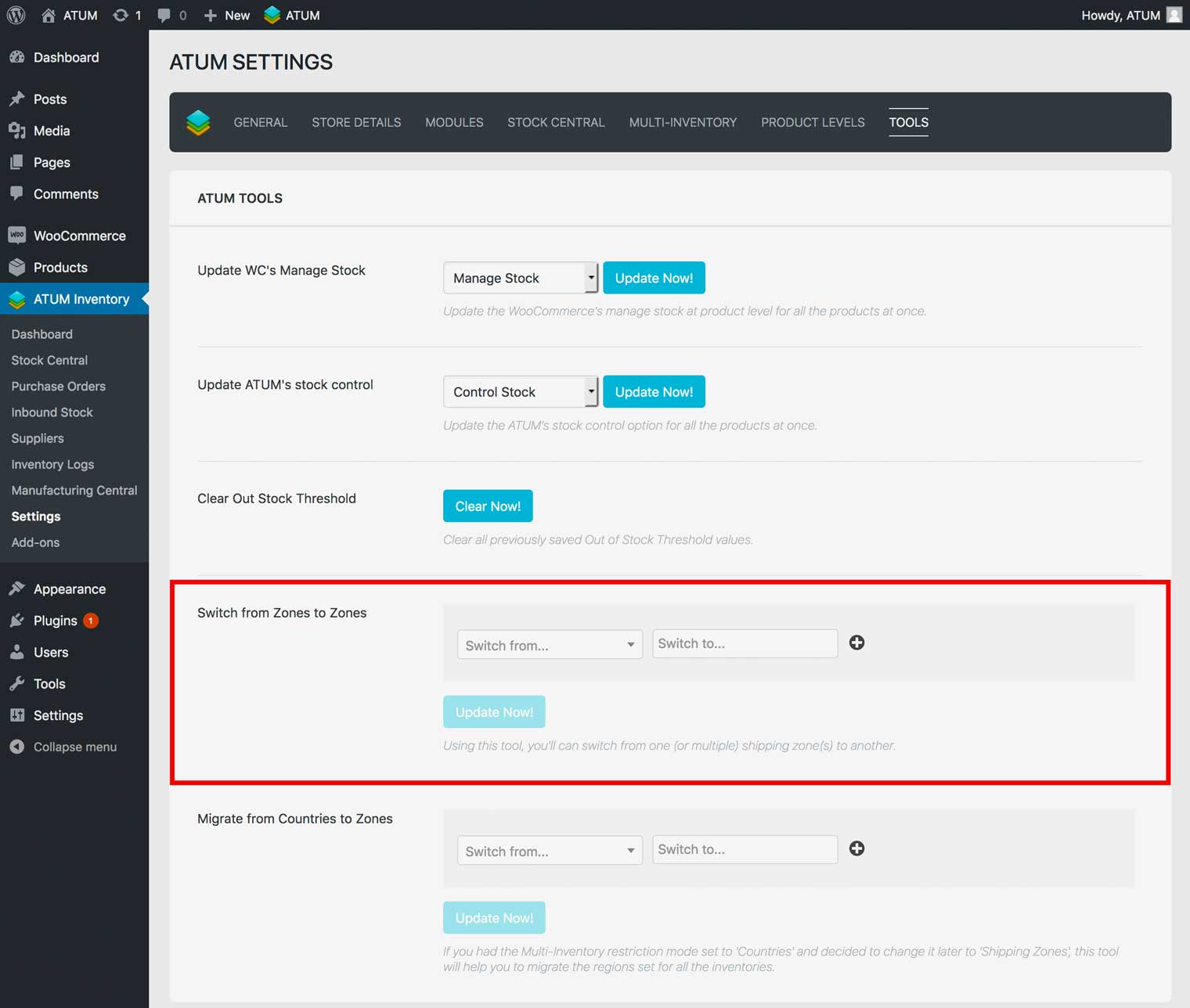
- Click Update Now.
The example above would look like this
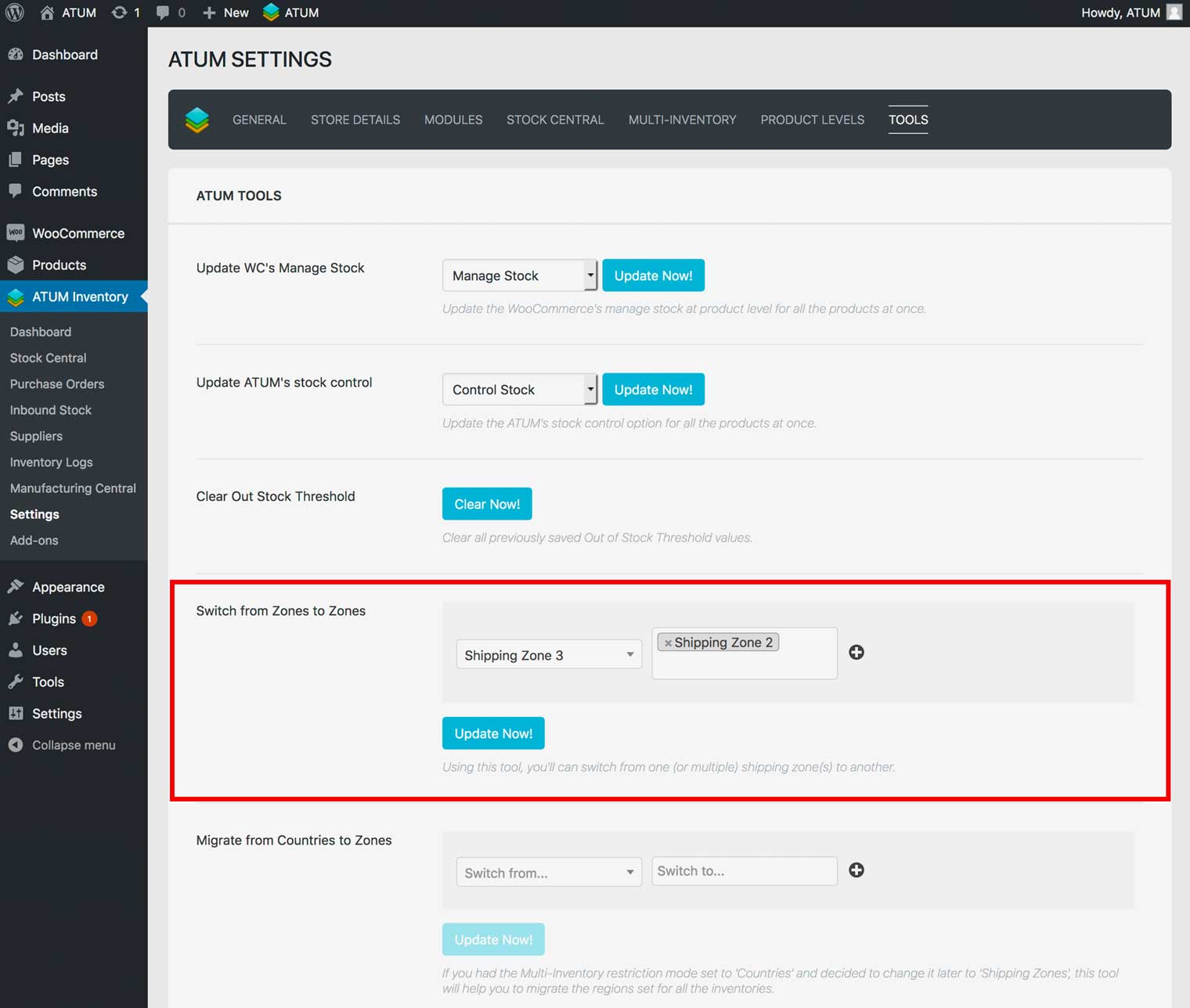
After confirming the Update Now button the process will run, and all the inventories with the Shipping Zone 3 will change to the Shipping Zone 2.