How to enable Price per Inventory
When you enable Price Per Inventory you can set different prices for each inventory within a single product:
- Regular price: Set the product unit price.
- Sale price: Set the sale product price.
- Purchase price: Set the product’s purchase price.
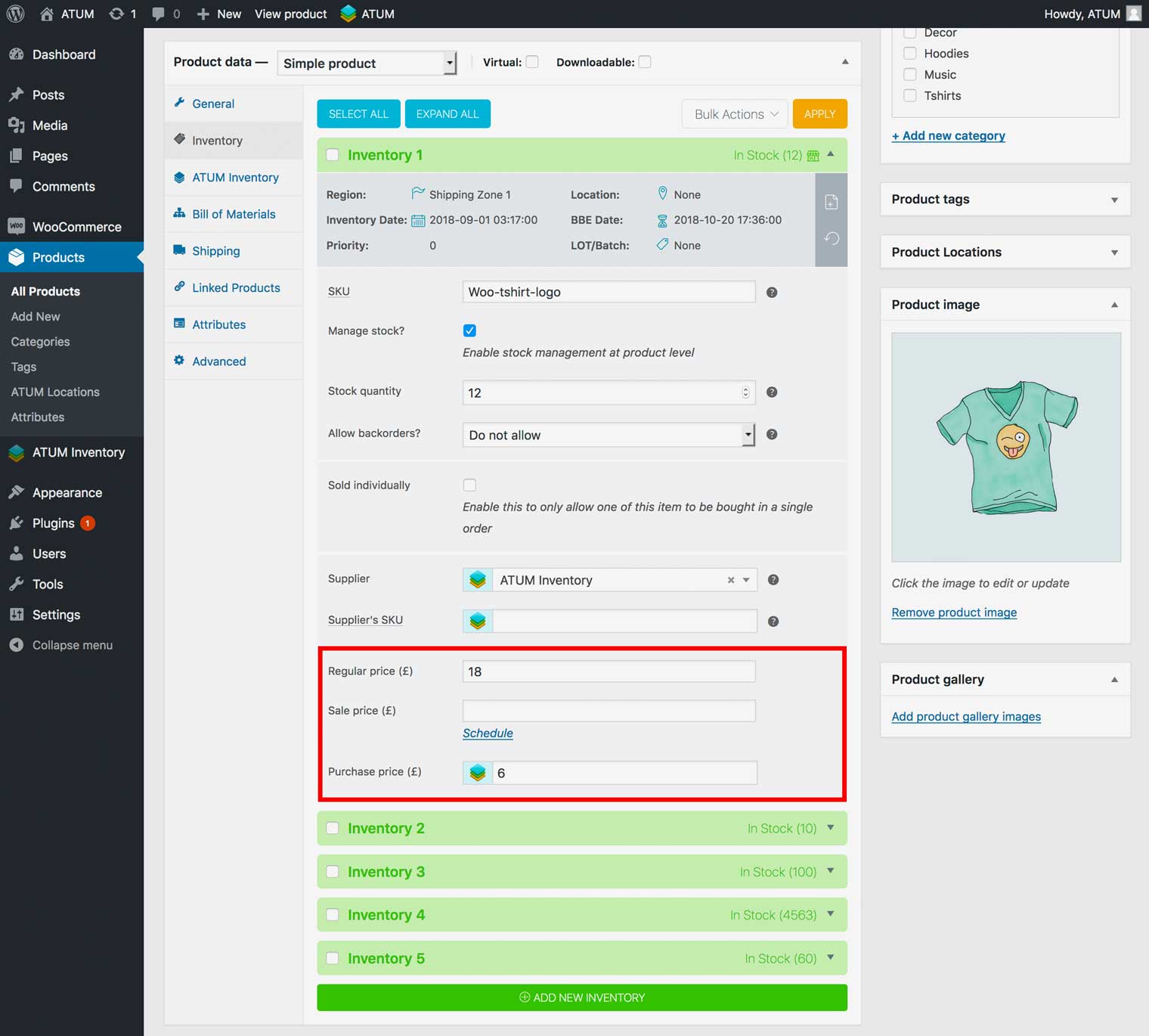
You can enable Price Per Inventory globally for all inventories; also you can do it for a specific product only.
ENABLE PRICE PER PRODUCT FOR ALL INVENTORIES
- In WordPress admin panel, go to ATUM Inventory > Settings > Multi-Inventory.
- Enable the option Price per Inventory.
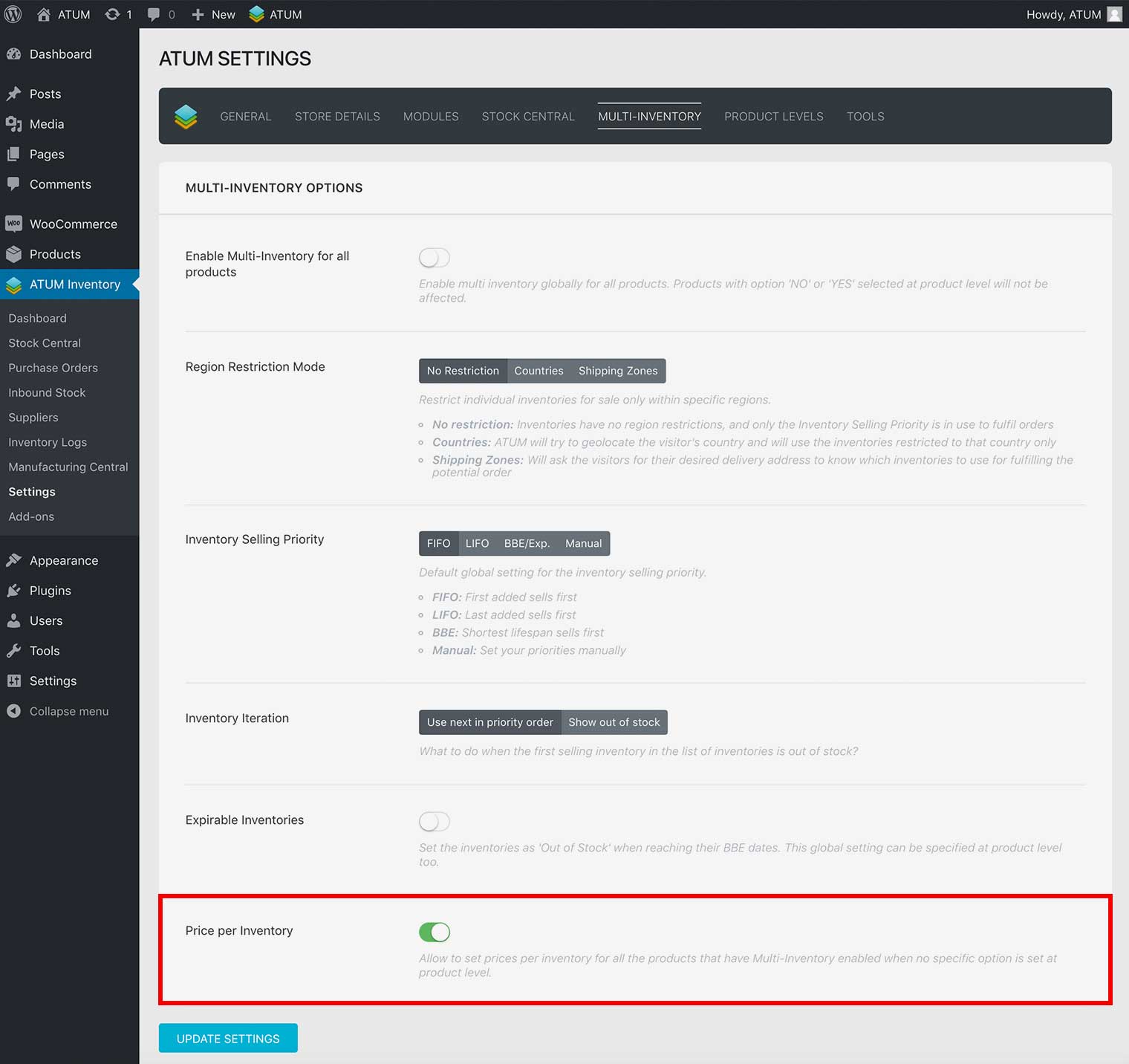
- Click Update Settings.
ENABLE PRICE PER INVENTORY FOR SPECIFIC PRODUCT
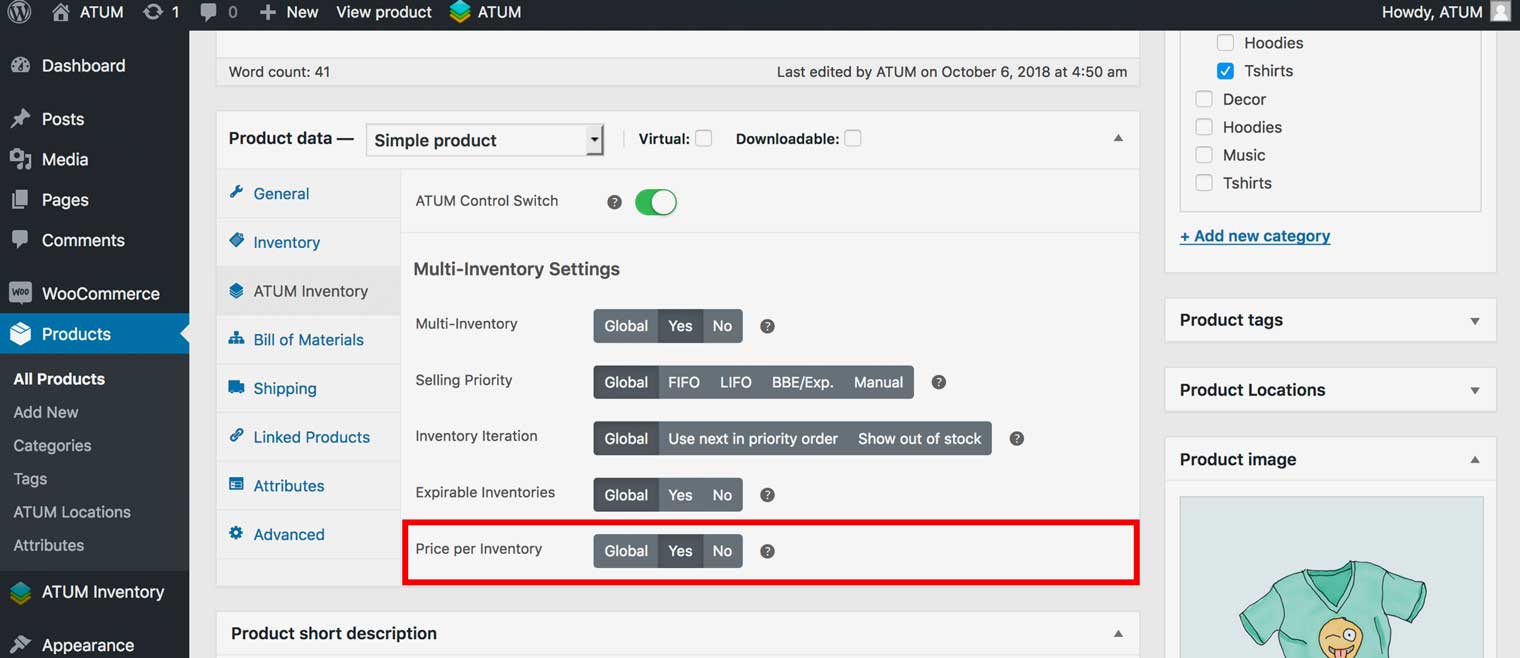
- In WordPress admin panel, go to Products and select the product for which you want to set the price per inventory.
- In the product’s page go to the Product data section and select the tab called ATUM Inventory.
- In Multi-Inventory Settings select Yes in Price Per Inventory option.
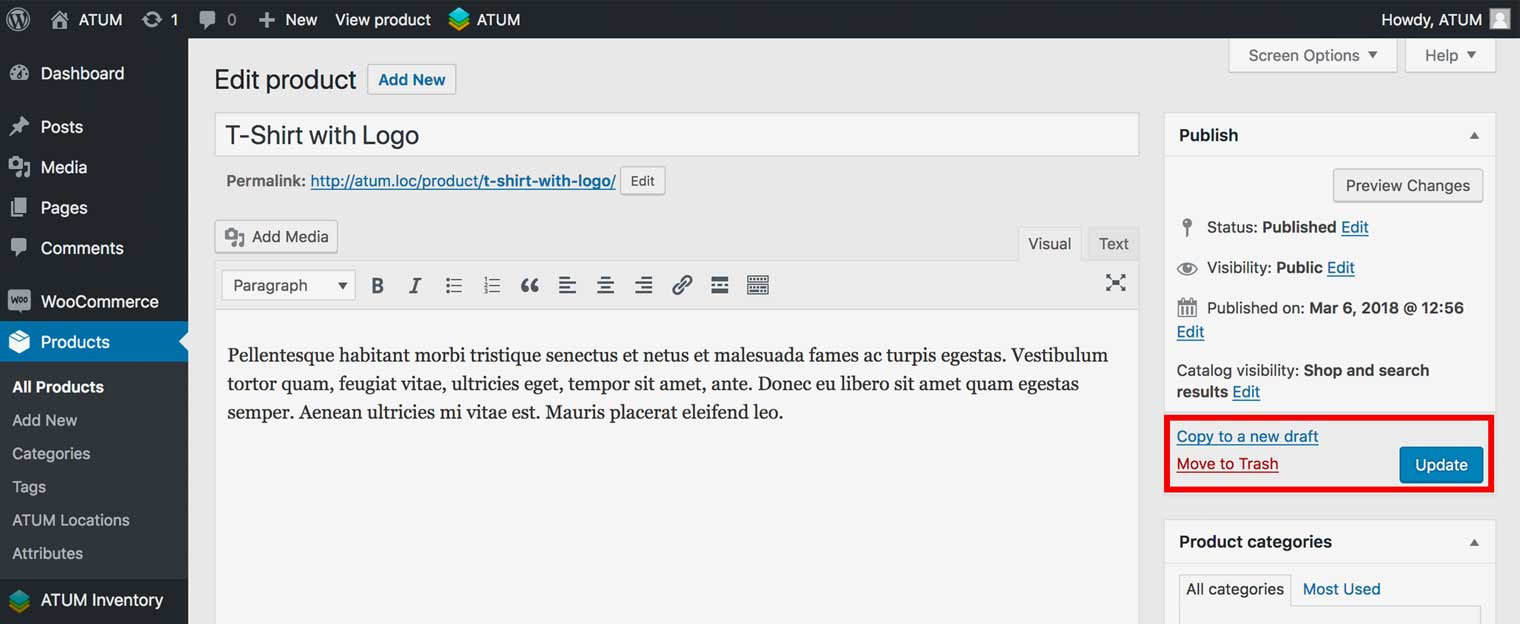
- To activate the change click the product Update button.