
Multi-Inventory Product Info Shortcode
For our users, we developed a shortcode that allows you to display the multi-inventory info in the store’s product page. The shortcode is made to show the following information:
- Inventory Date
- BBE Date
- Region
- Location
- LOT/Batch number
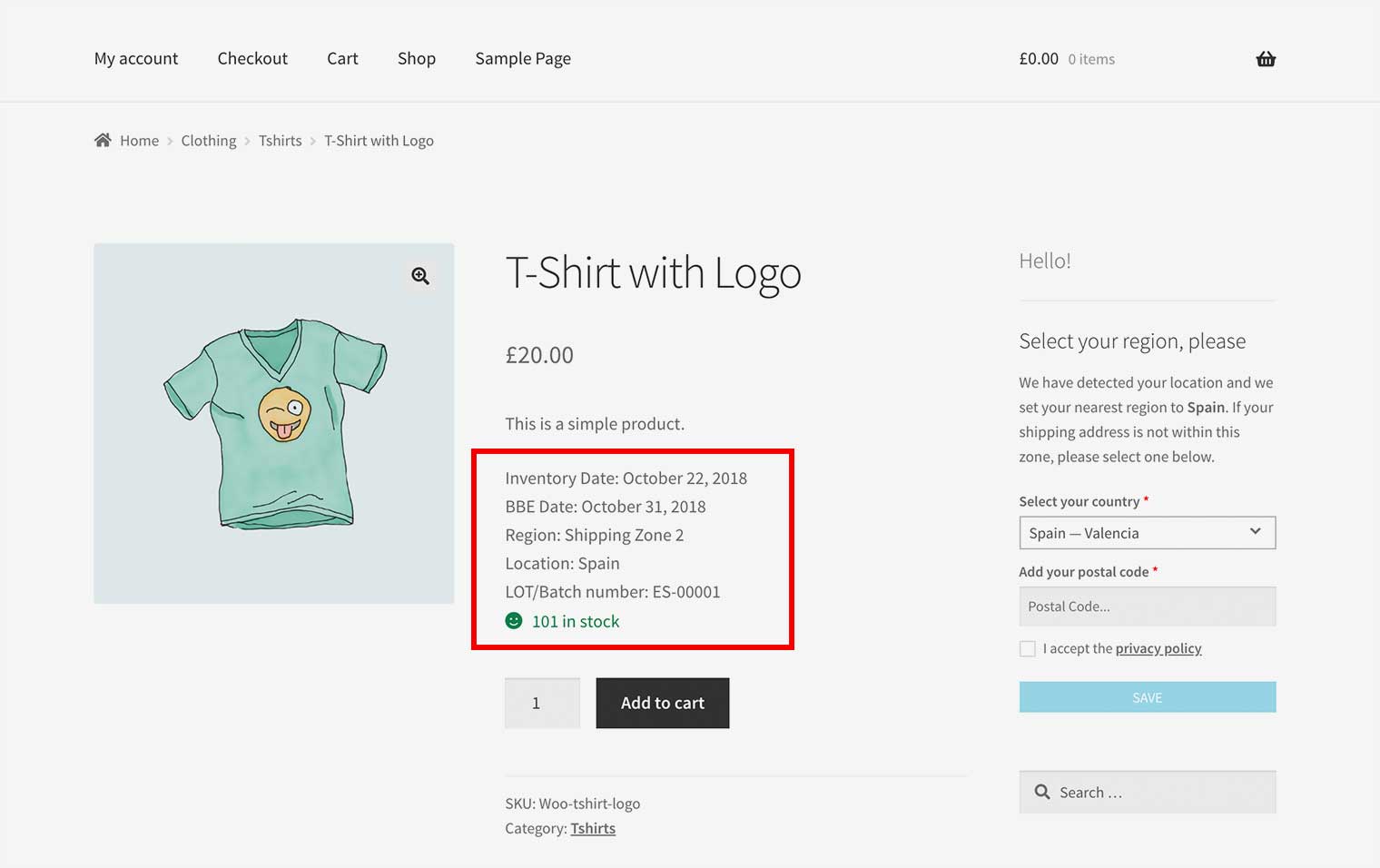
HOW TO ADD THE CODE?
Add the following code into your product description field within the back-end admin area:
[atum_mi_product_info]
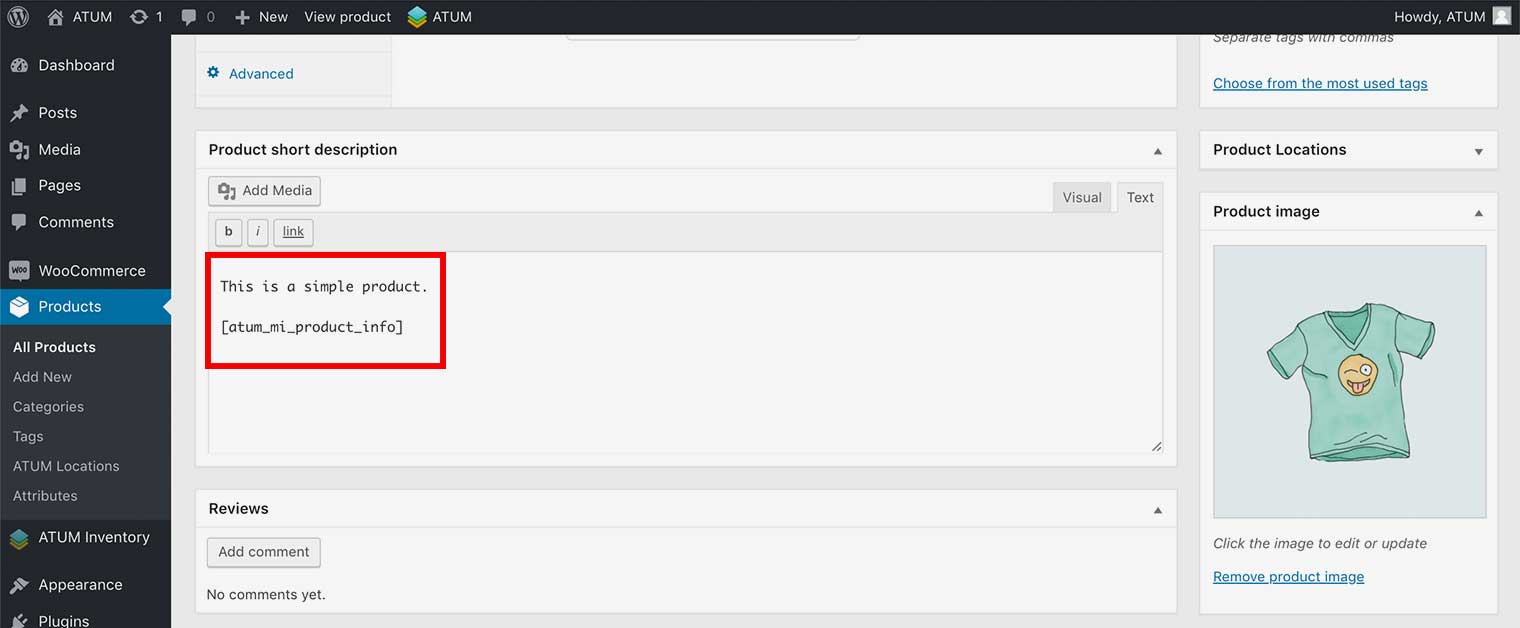
THE SHORTCODE ATTRIBUTES
The default shortcode shows all the multi-inventory information, but you can edit the attributes to customize it.
Shortcode Attributes:
- product_id: If passed will display the data for the specified product, if not will try to get the displayed product.
Example of the attribute
[atum_mi_product_info product_id="1"] - data: A comma-separated list of data elements to display (defaults to all). You can set the following values:
- inventory_date
- bbe_date
- region
- location
- lot
Example of the attribute
[atum_mi_product_info data="inventory_date,bbe_date,region,location,lot"]
- with_labels: Whether to show the labels for each data row. You can set yes or no.
Example of the attribute
[atum_mi_product_info with_labels="no"] - no_info_message: The message that will be shown when the product has no info available.
Example of the attribute
[atum_mi_product_info no_info_message="write your message here"] - date_format: The format used for dates. Defaults is the date format selected in WP Admin > Settings > General. You can set a valid php date format, if need help can read this article.
Example of the attribute
[atum_mi_product_info date_format="Y-m-d"] - class: Any CSS class to be added to the data block.
Example of the attribute
[atum_mi_product_info class="your-class"]
Example of the shortcode with all the attributes
[atum_mi_product_info product_id="1" data="inventory_date, bbe_date, region, location, lot" with_labels="no" no_info_message="write your message here" date_format="Y-m-d" class="your-class"]