
Add User Destination Widget to any Sidebar on your site.
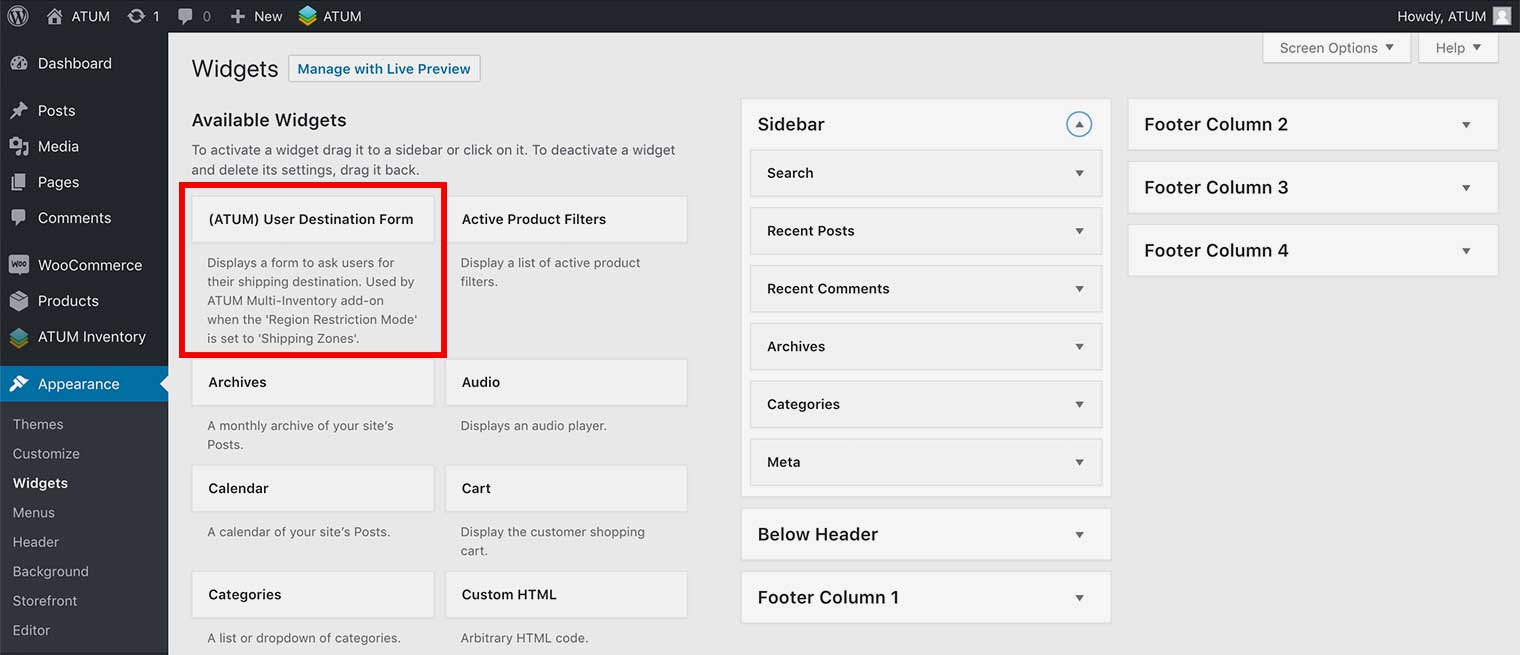
As well as Geo Prompt popup you can add the User Destination Form widget to allow visitors to set their addresses details at any time.
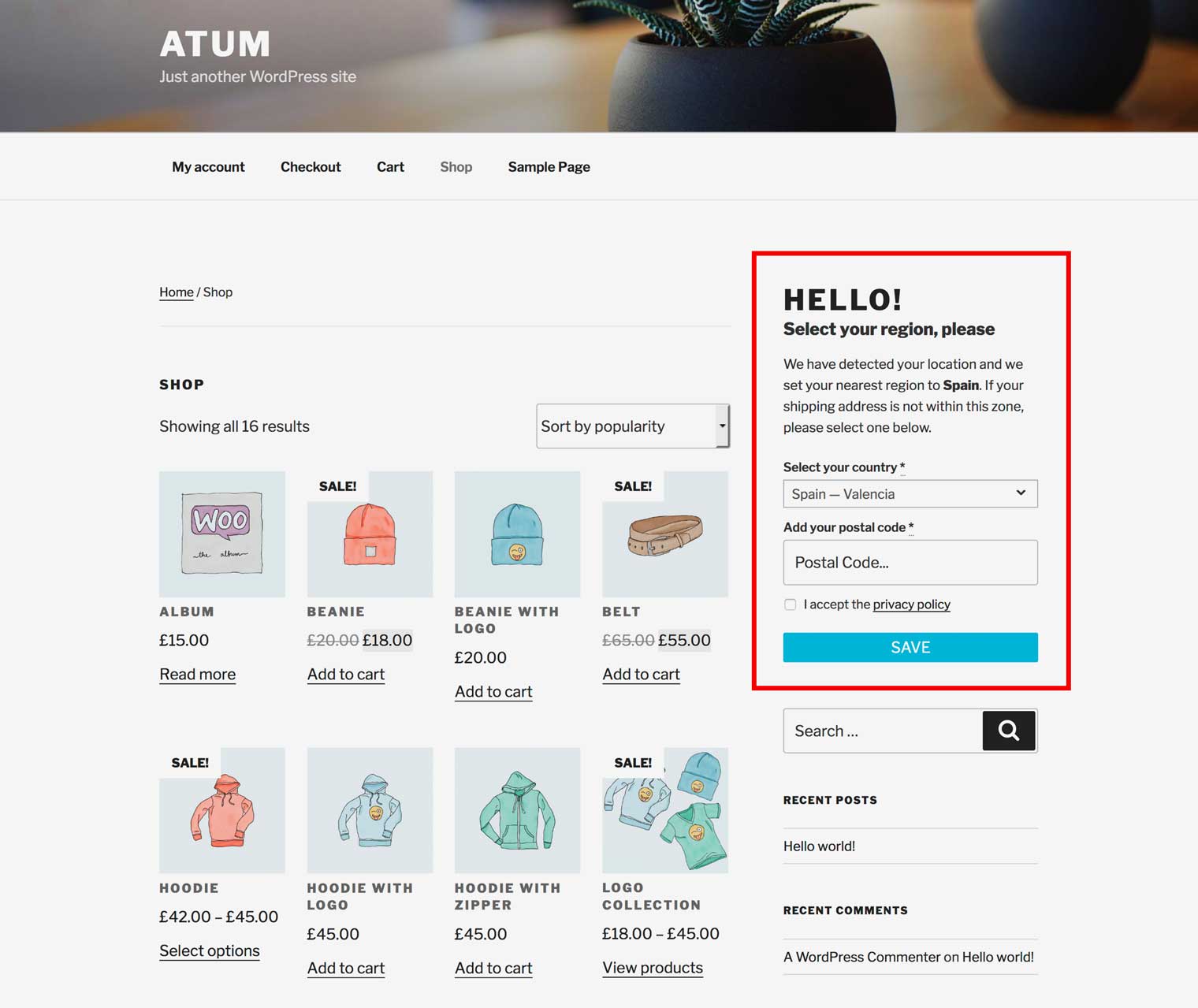
- In WordPress admin panel, go to Appearance > Widgets.
- Drag and drop the User Destination Form widget into a Sidebar box.
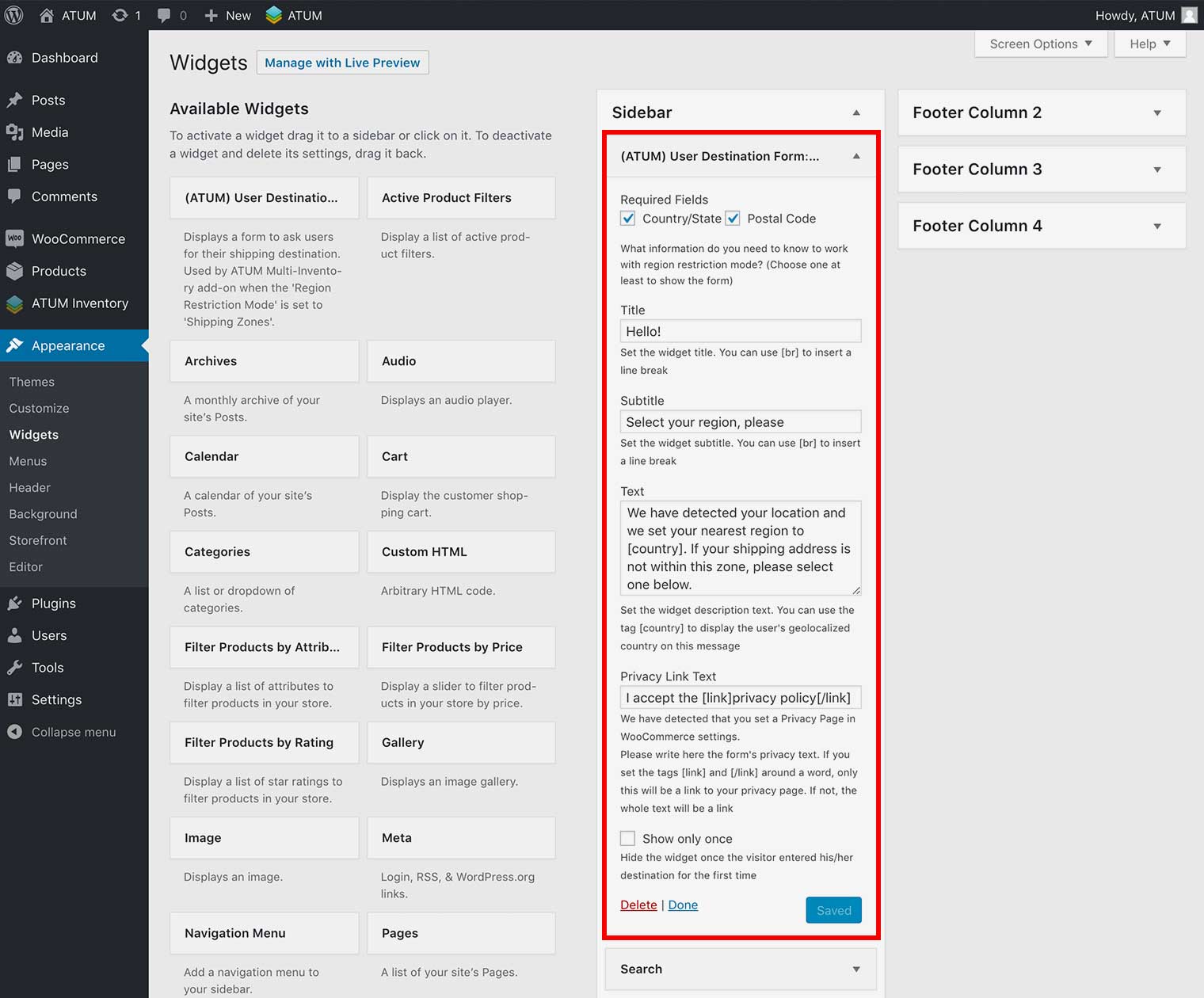
CUSTOMIZE THE USER DESTINATION FORM WIDGET
- In WordPress admin panel, go to Appearance > Widgets.
- Navigate to the User Destination Form widget within your Sidebar and press the ▼ icon to expand the settings.
- Configure the settings to your liking. You can set:
- Required Fields: Select what visitor’s information is required to work for your region restriction mode. You can choose between Country/State, Postal Code or both.
WARNING:Choose one at least to show the form.
- Title: Set the widget’s title.
- Subtitle: Set the widgets subtitle.
- Text: Set the widgets description text.
- Privacy Link Text: Set the Privacy Policy text for the acceptance checkbox.
NOTE:You need to assign a Privacy Policy page within the WooCommerce settings for the acceptance checkbox to work.
- Show only once: Enable it to hide the widget once the visitor entered his/her location for the first time.
- Required Fields: Select what visitor’s information is required to work for your region restriction mode. You can choose between Country/State, Postal Code or both.
- Click Save.