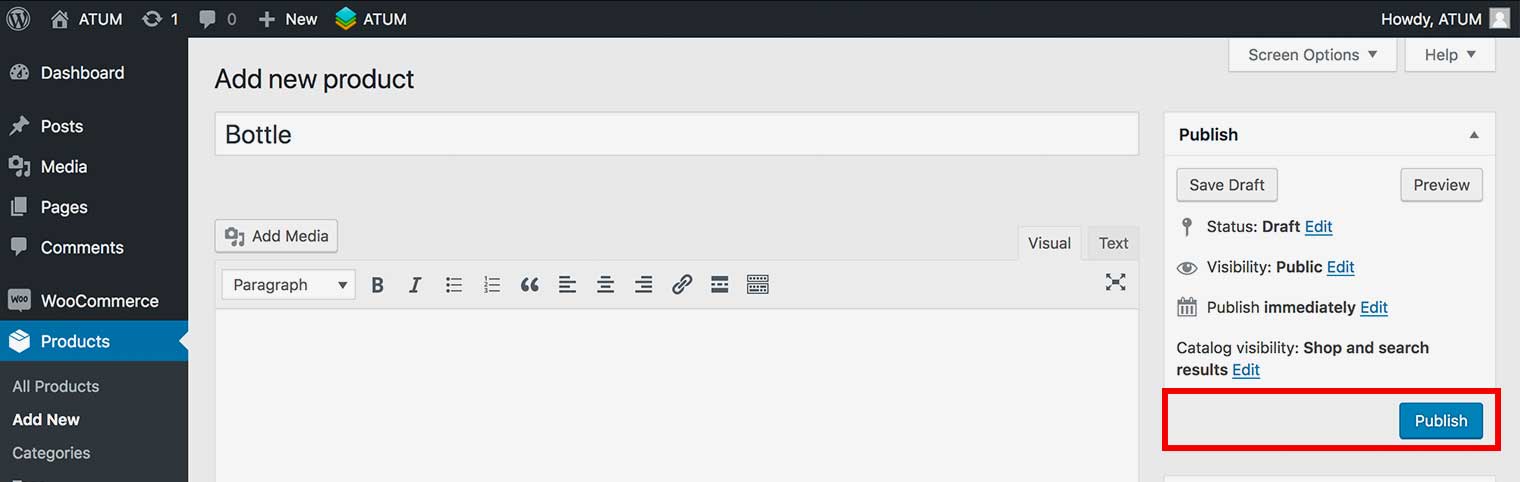
How to create a Variable Product Part
If your product part contains several variations, variable product part gives you maximum flexibility. To create a Variable Product Part:
- Go to, Products > Add New.
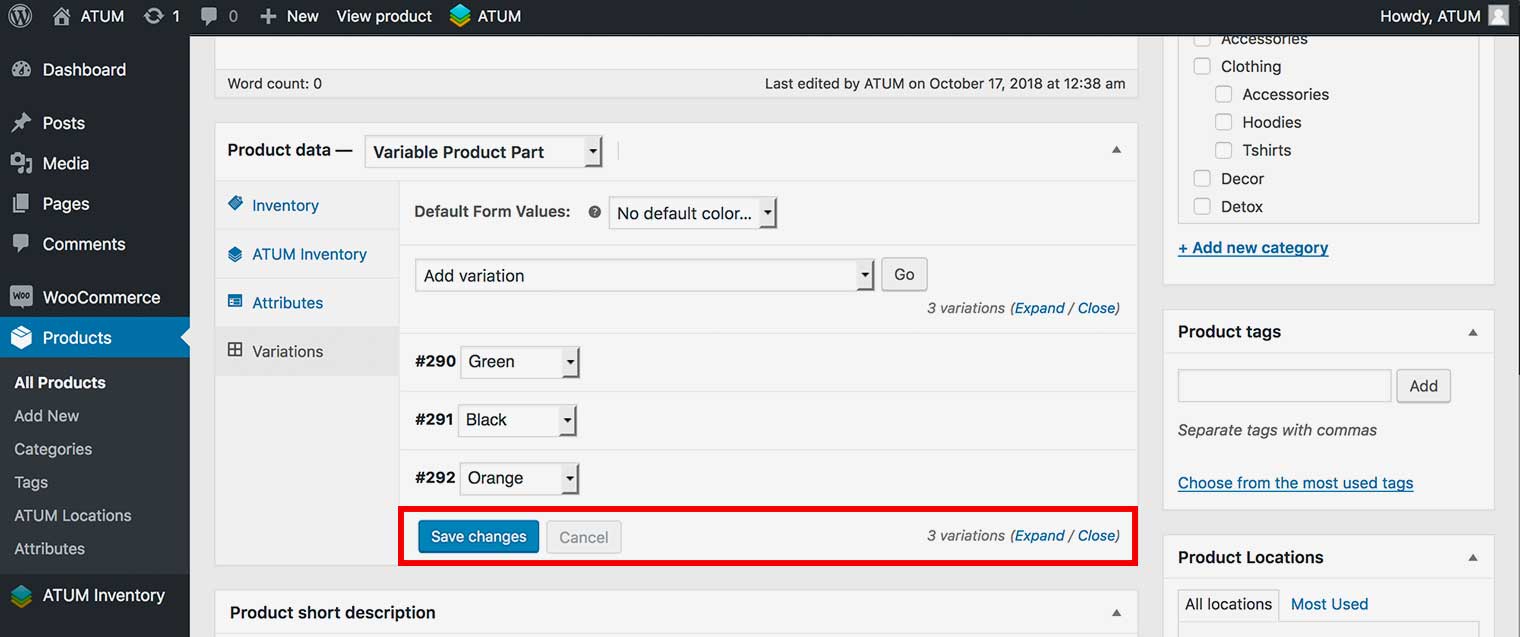
- In Product Data section select the Variable Product Part option.
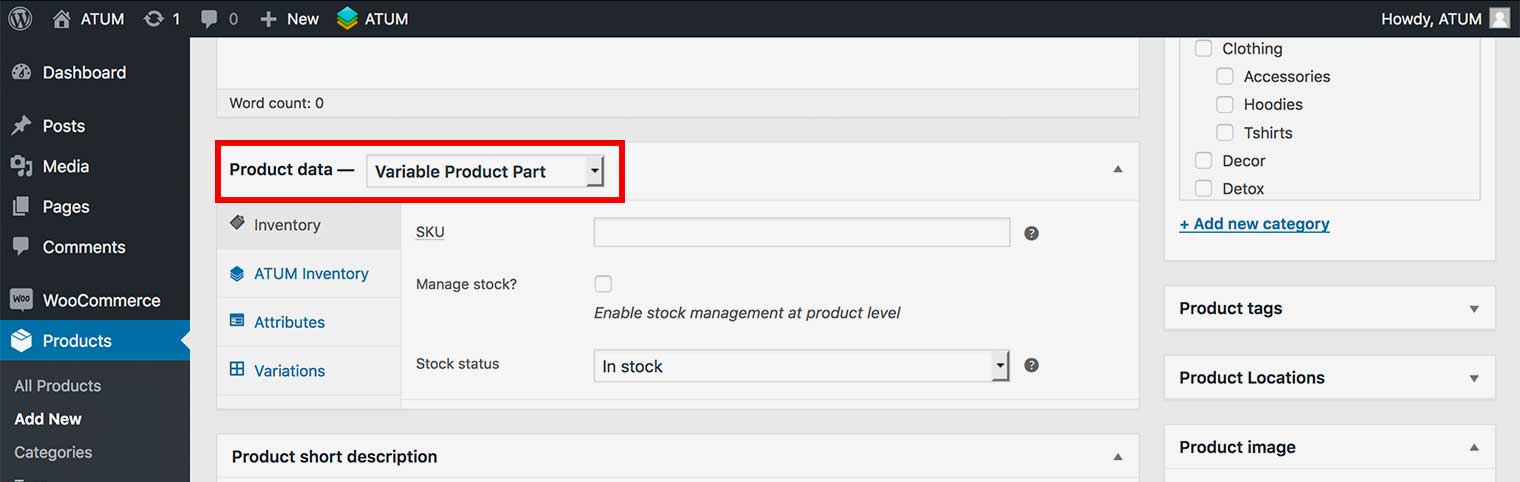
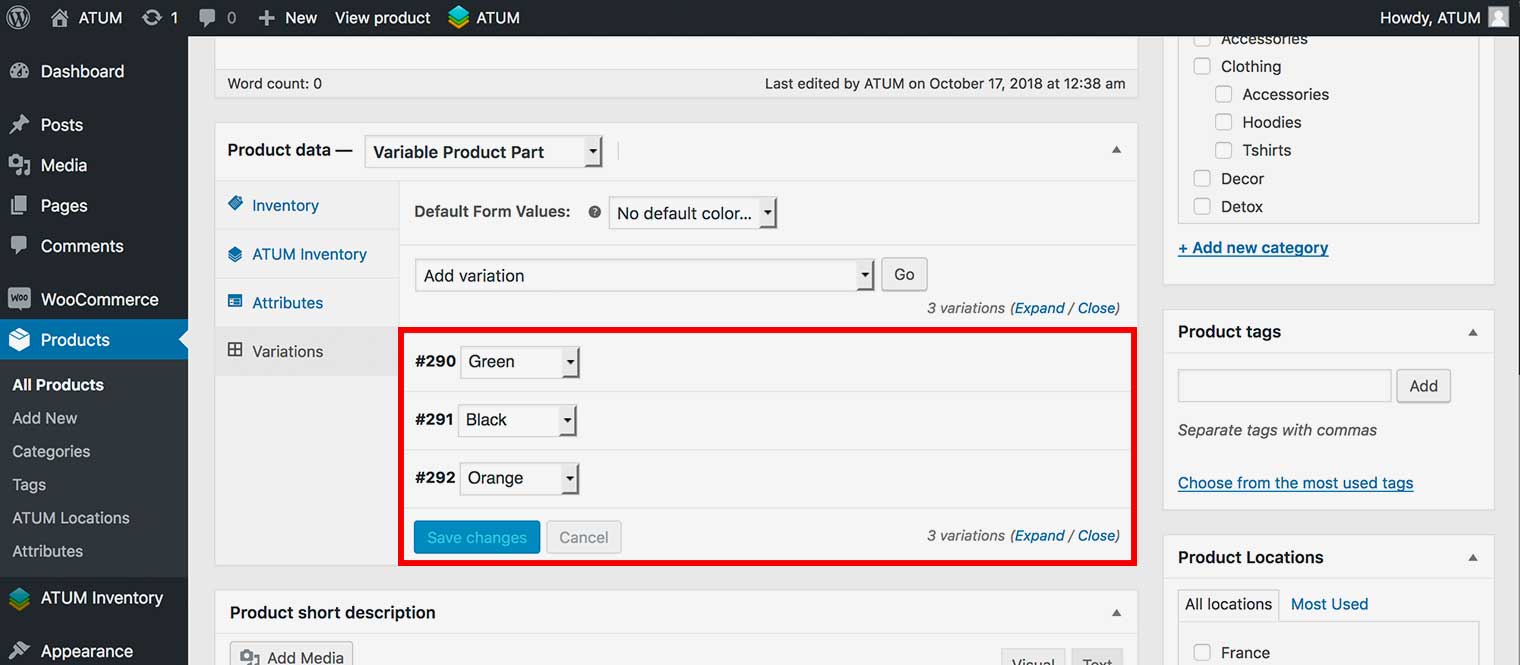
- Click the Variations tab and create the Variations.
NOTE:The creating of product part variations is the same as creating variations within a variable product in WooCommerce. If you need the help of how to create variations Read Here.
- Fill in the Variations details according to your specifications.
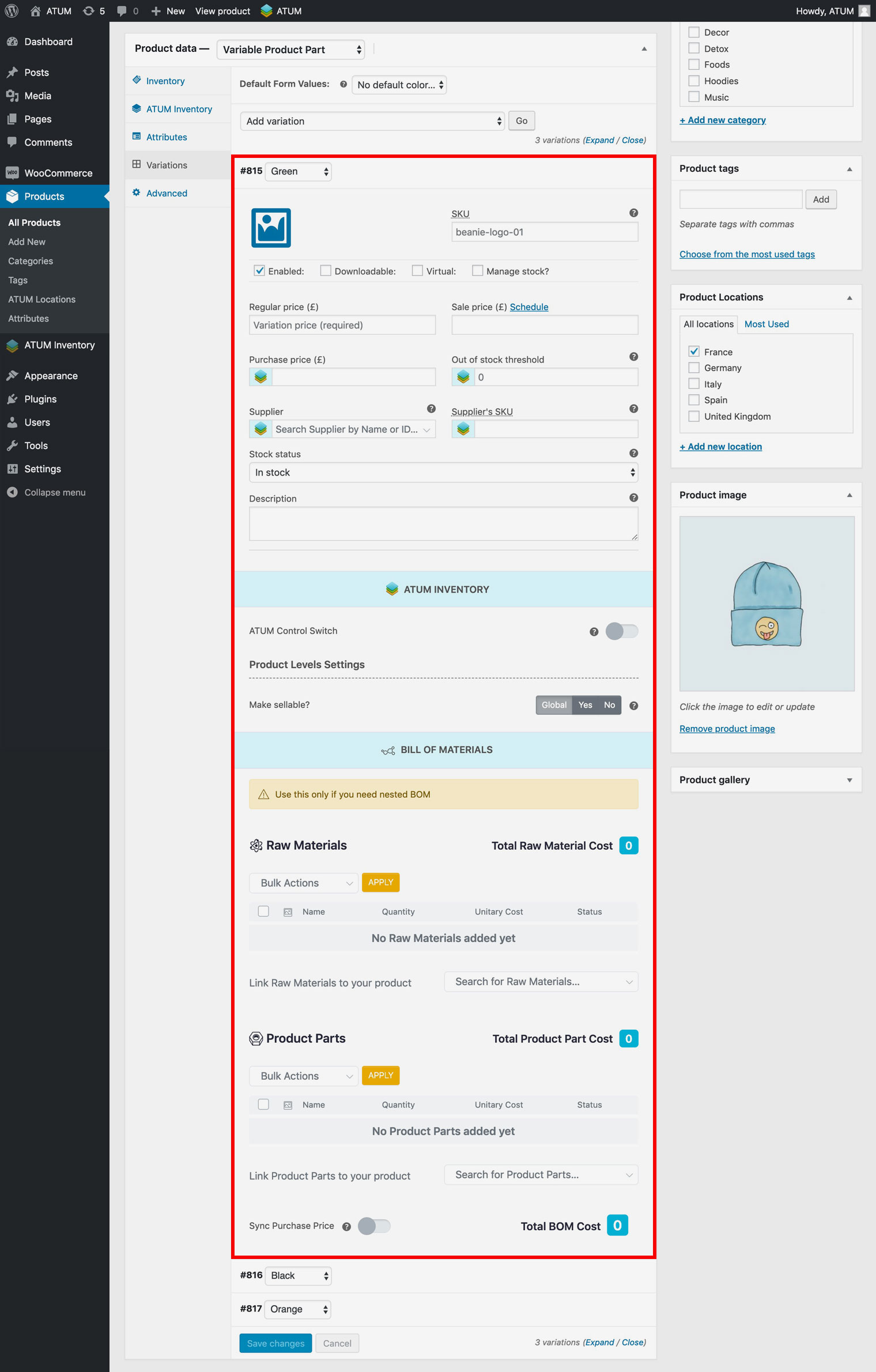
- Click Save Changes.
- Complete the Product Details.
- Click Publish.