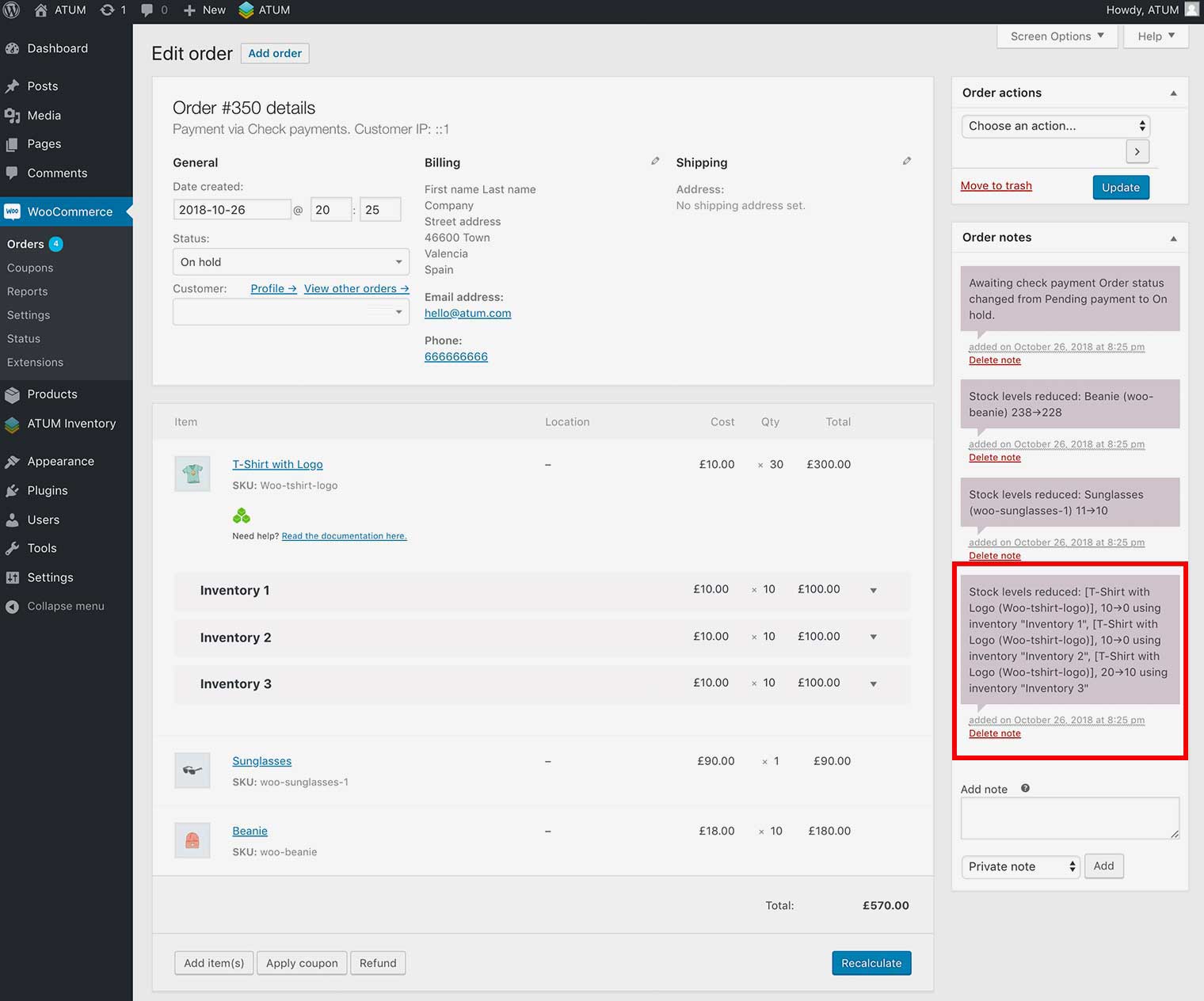
How to recognise Multi-Inventory products in the Products List of an Order?
In the Products List of an Order the Multi-Inventory products will be marked with the Multi-Inventory green icon. Also you will see the list of the product’s inventories used in the order.
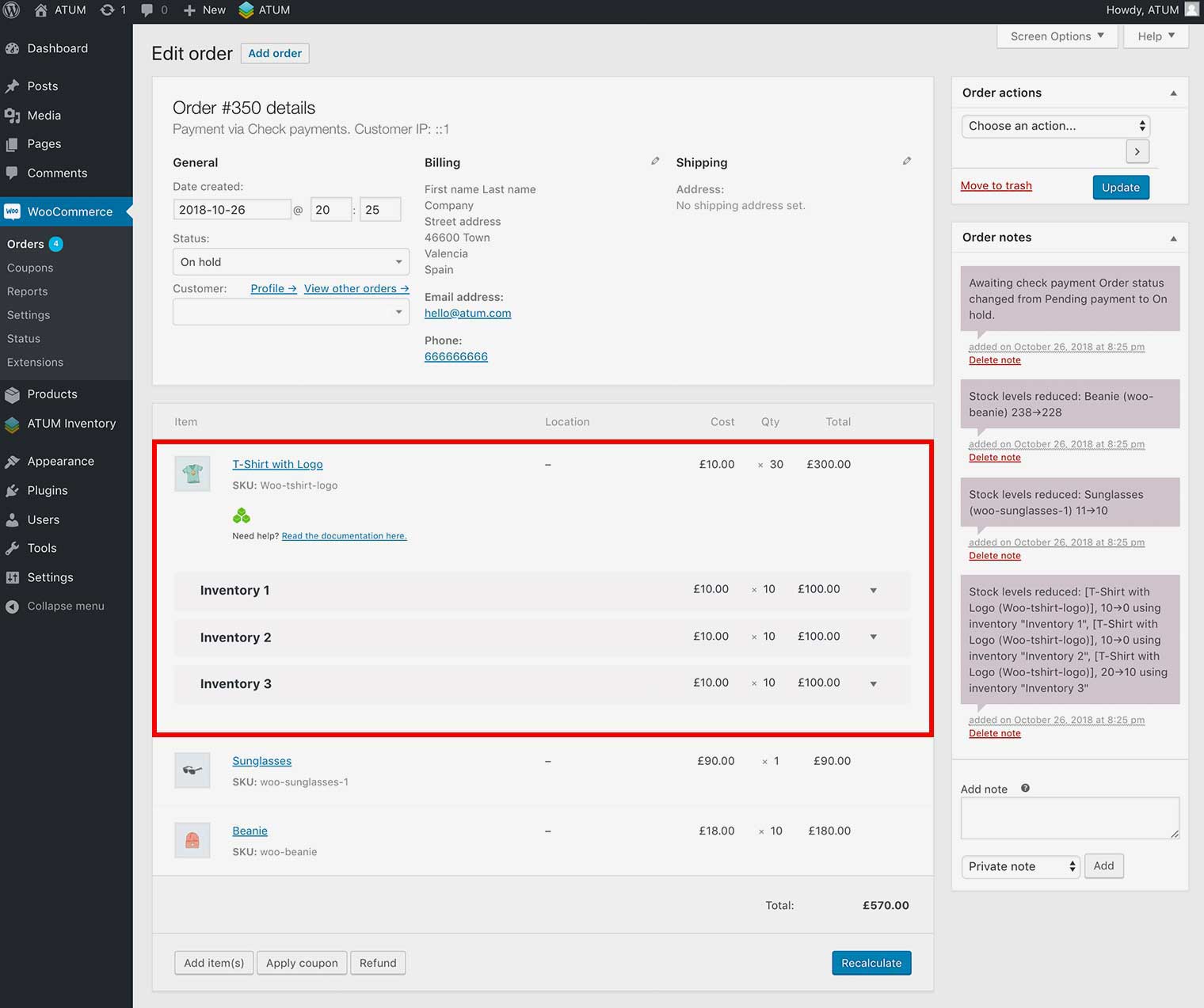
NOTE:In each inventory box you will see the Cost, Quantity and Total Amount for this inventory.
NOTE:You can hide the list of the product’s inventories clicking in the Multi-Inventory Green Icon.


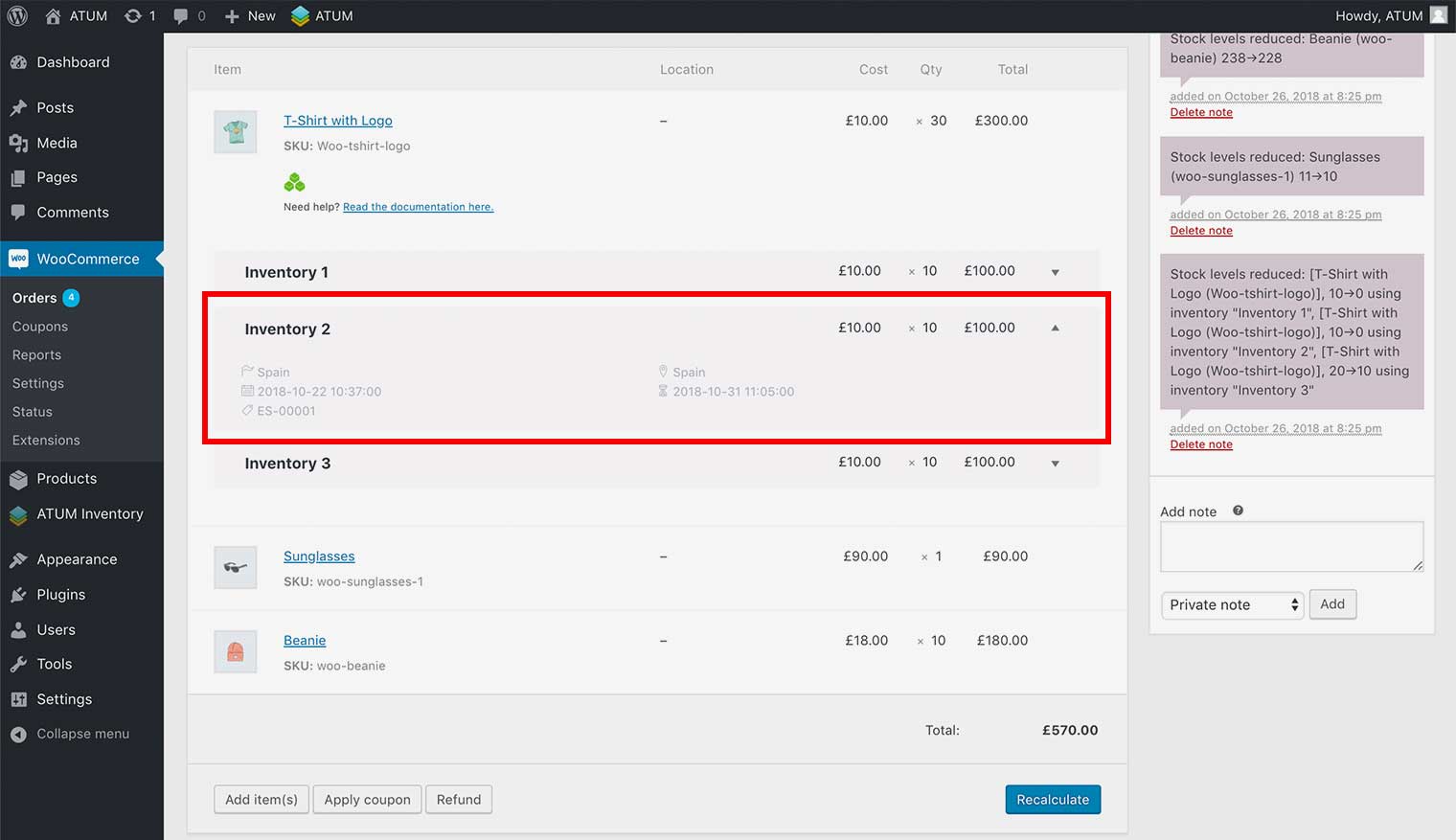
To see the inventories details click on the expand icon located at the right of the Inventory Box.
In the Order Notes you also can see the Multi-Inventories stock used.