How to view Multi-Inventory products in Stock Central?
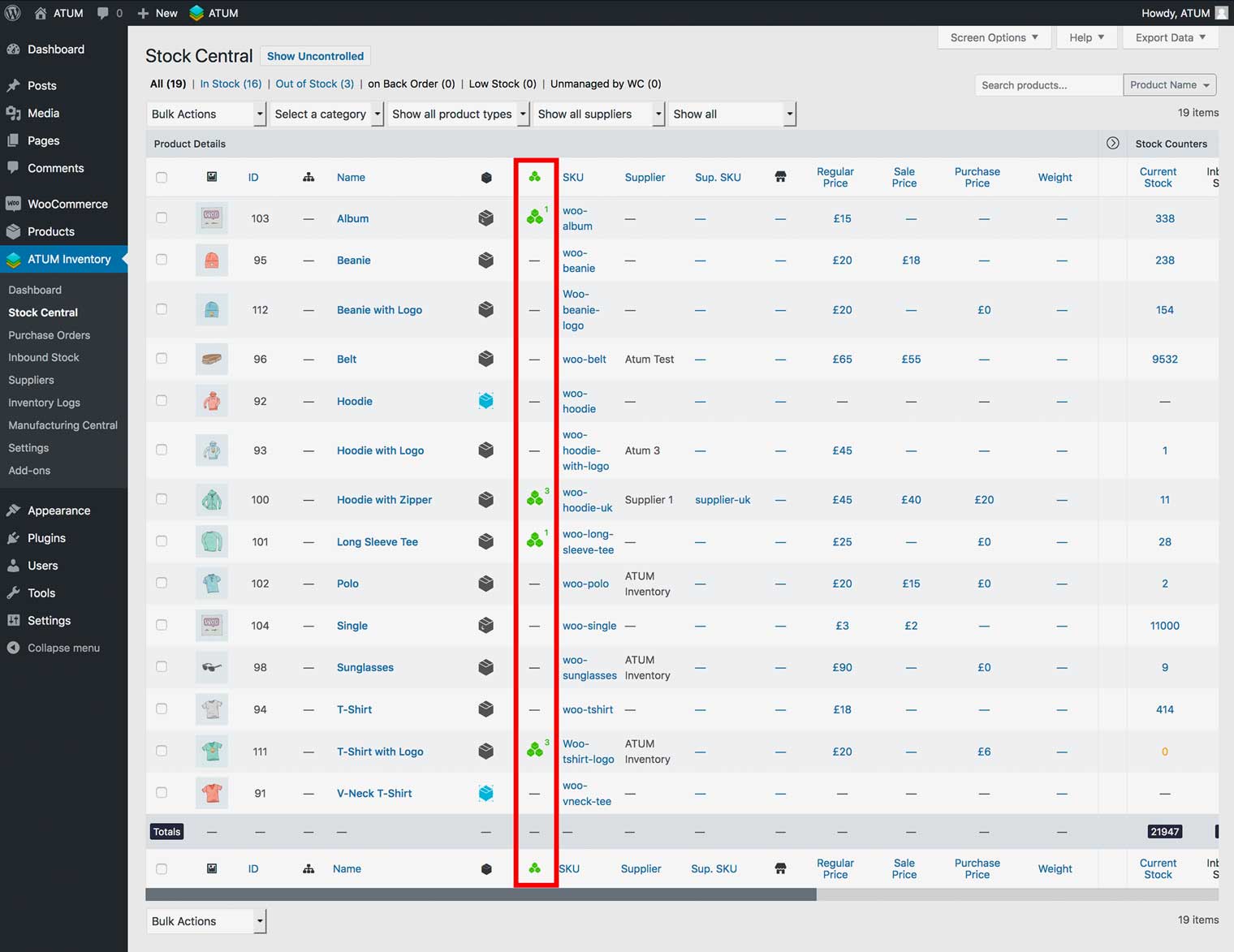
When you activate the ATUM Multi-Inventory add-on, a new identification column shows in the Stock Central table. It is called Multi-Inventory Status and displays the multi-Inventory green, or grey icon within a product enabled for multi-inventory. ATUM marks simple products by green, variable and grouped by the grey icon.
PREVIEW THE MULTI-INVENTORY INFO
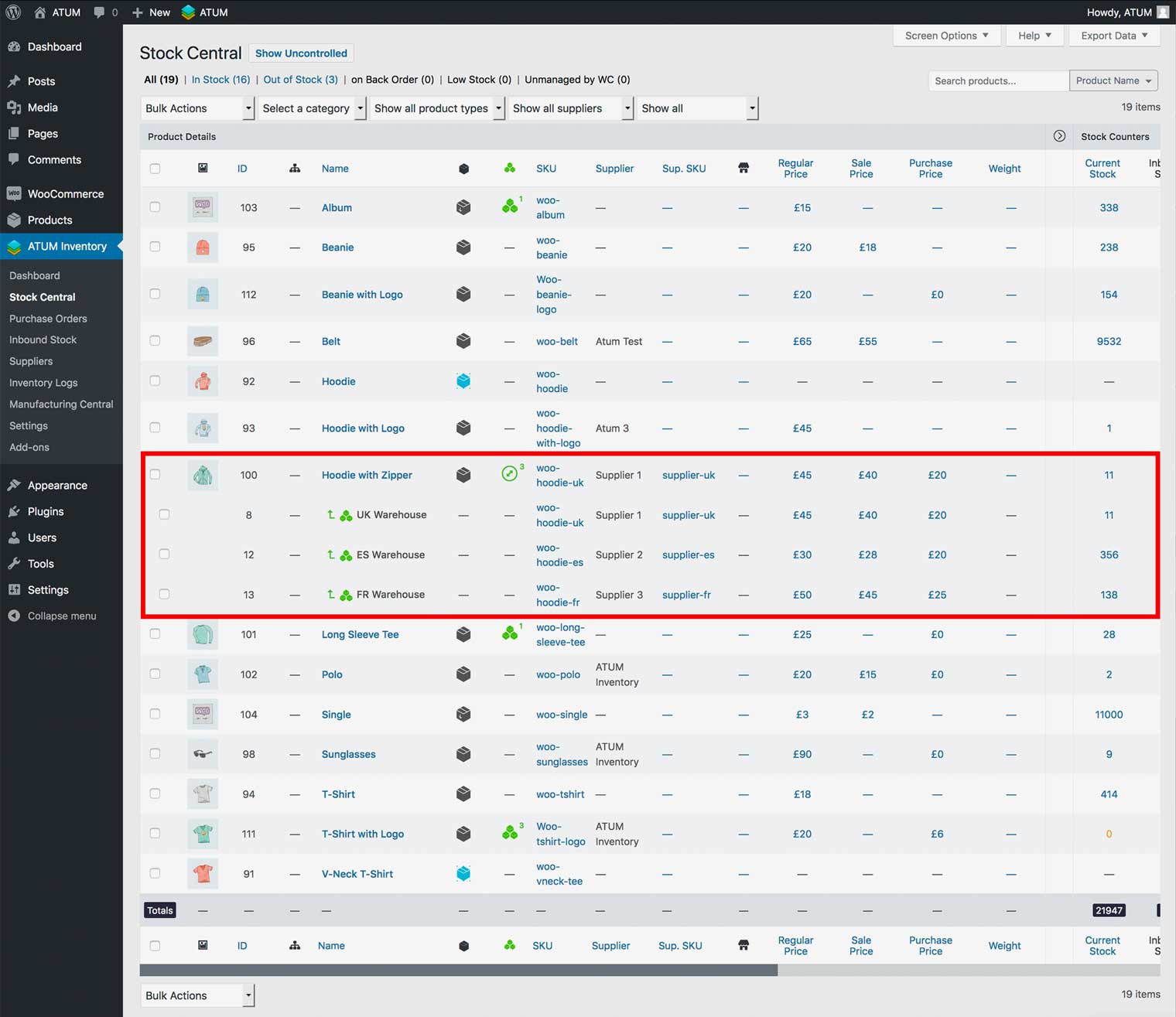
To keep Stock Central nice and tidy we hide all the extra information behind an expandable feature. To reveal the multi-inventory info in simple products, click the green icon. For variable and grouped products click their relevant product type icons to expand their sub products and then the green multi-inventory icon.
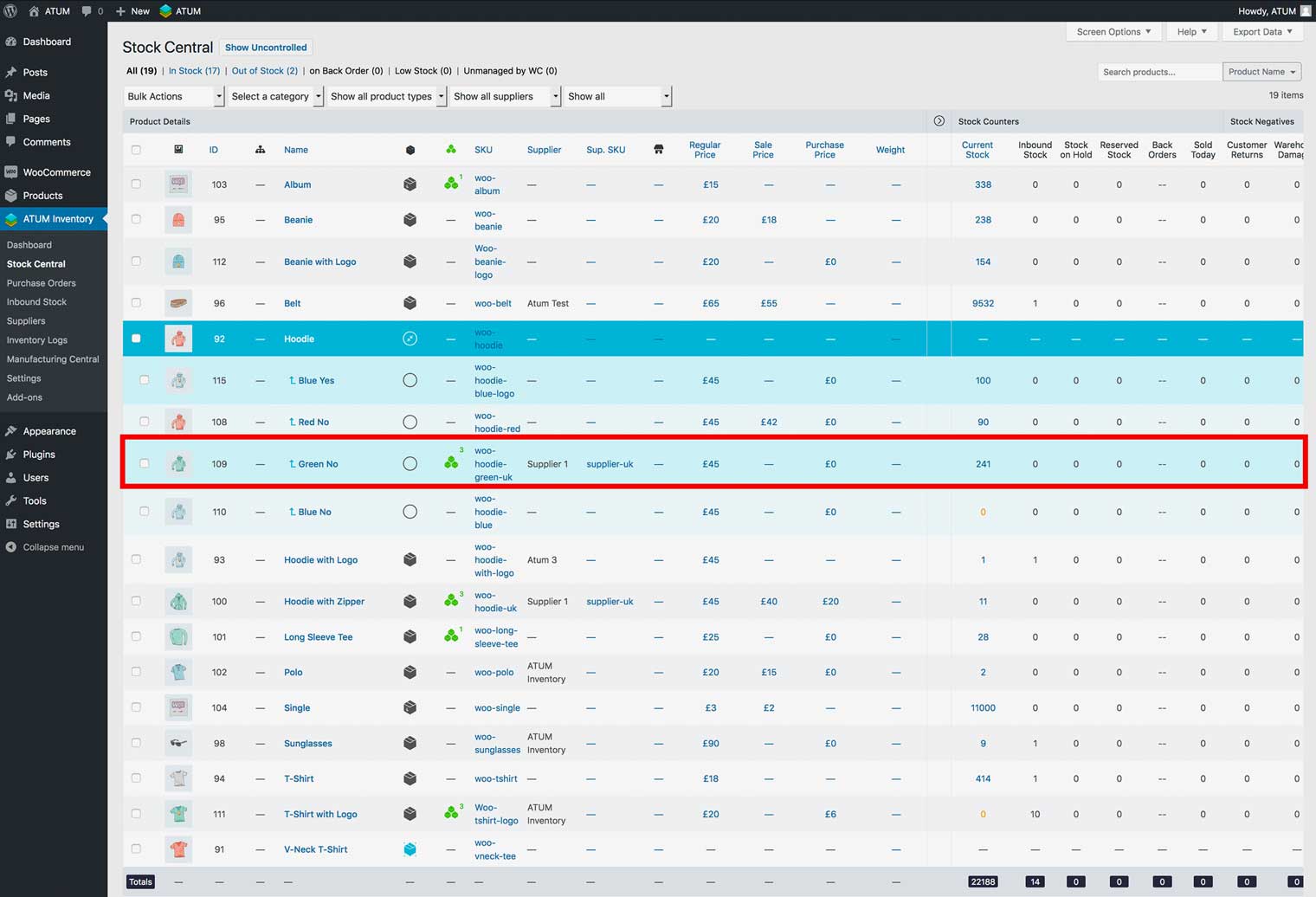
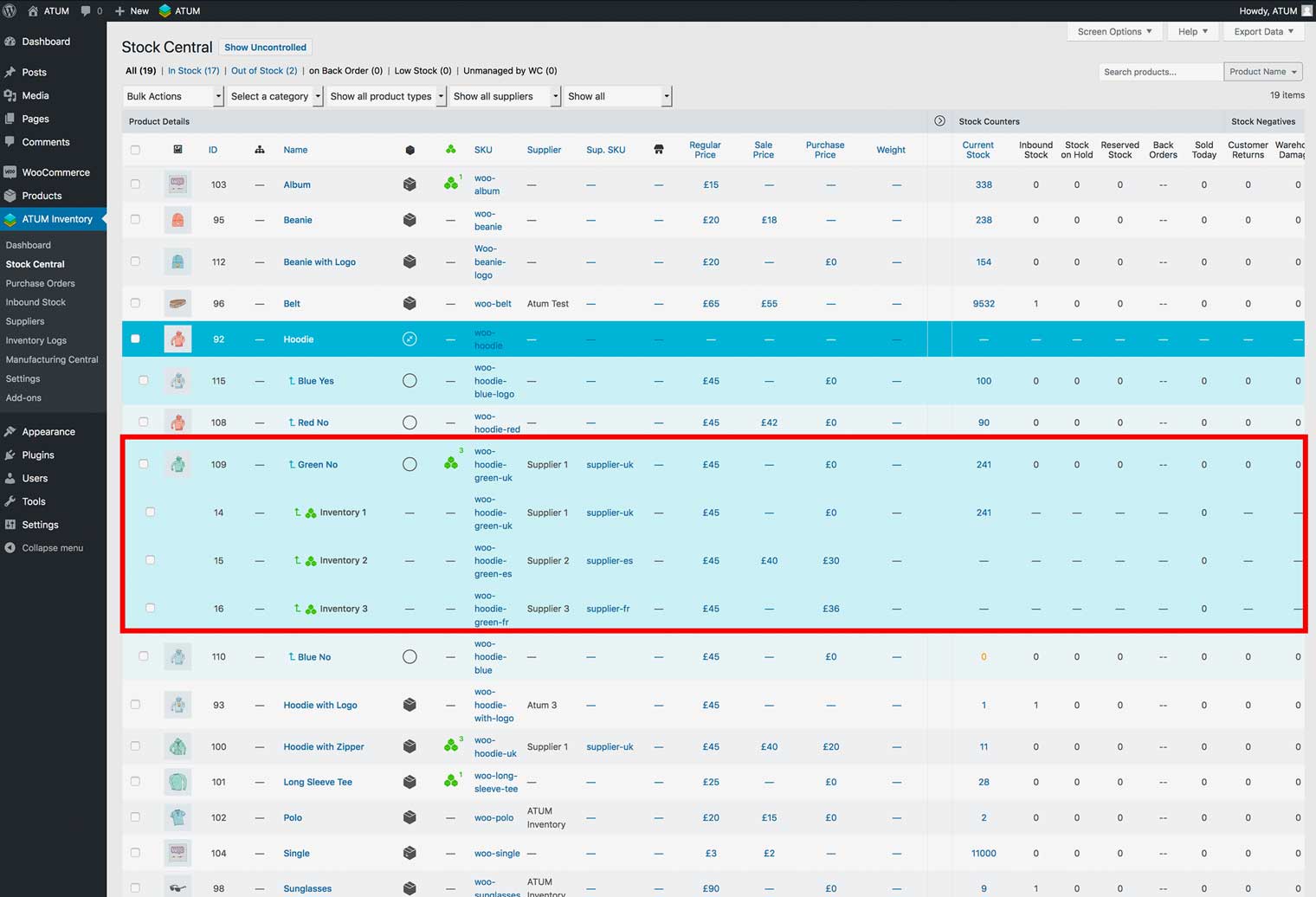
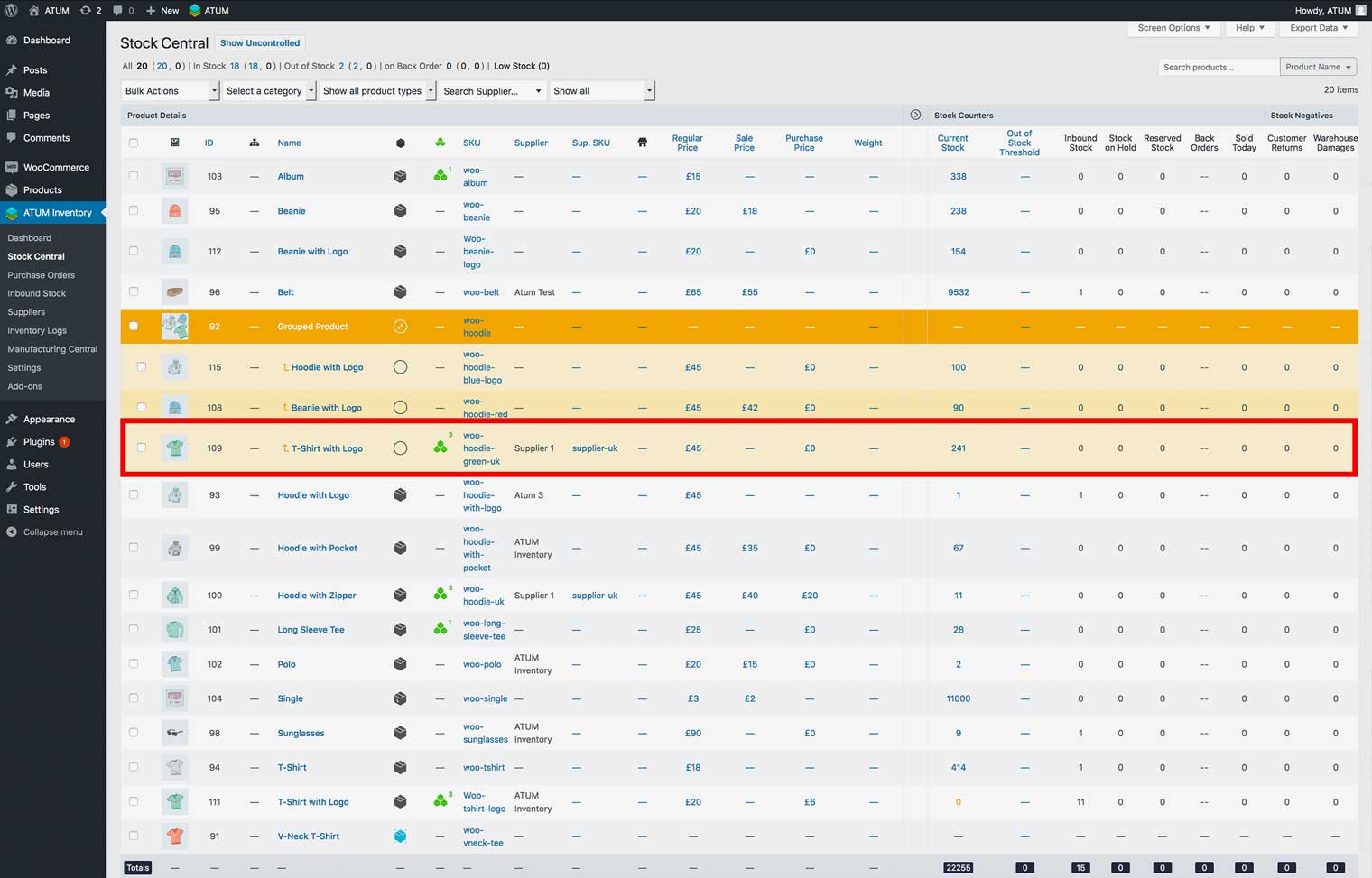
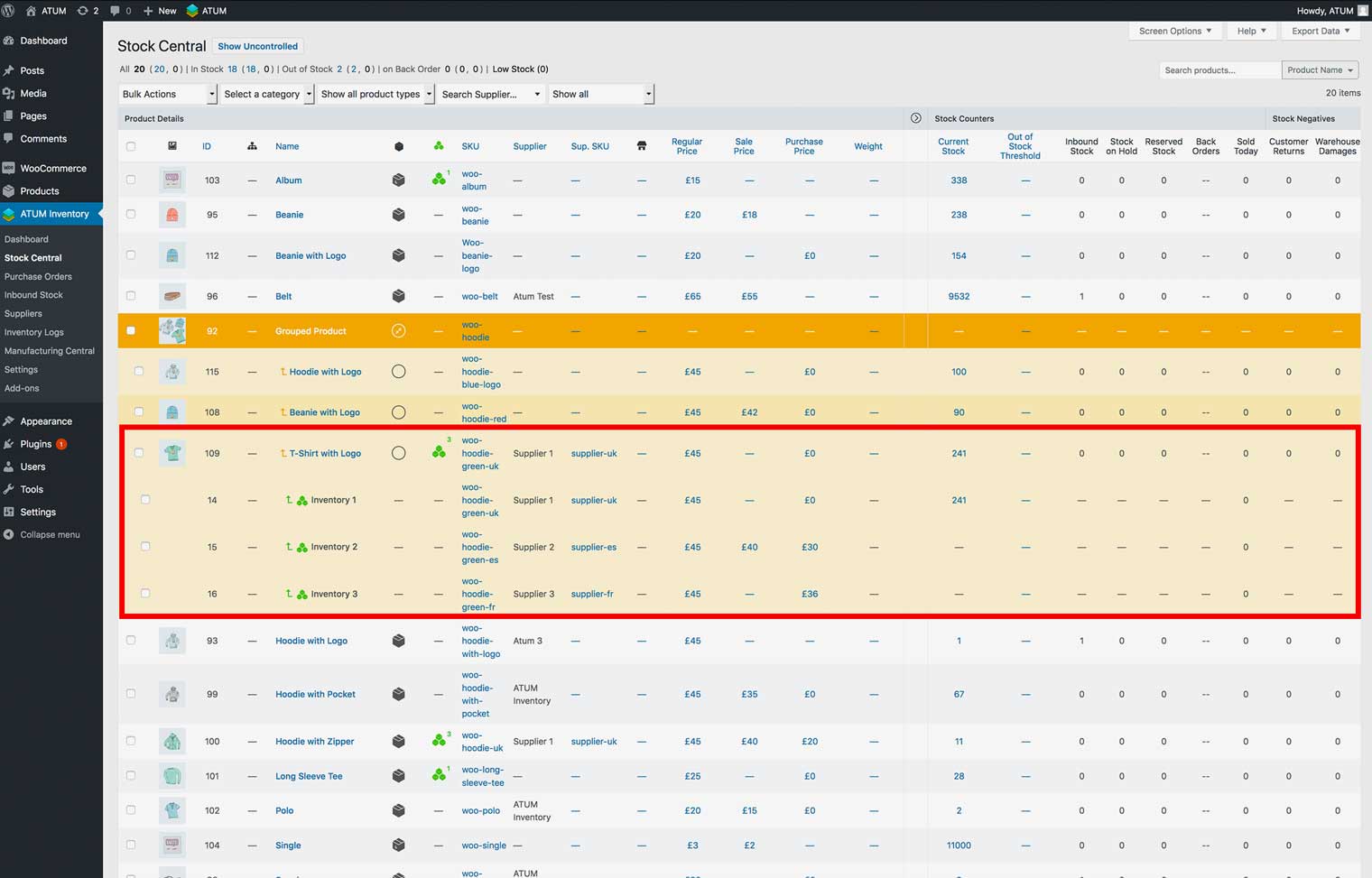
PREVIEW DETAILED MULTI-INVENTORY DATA
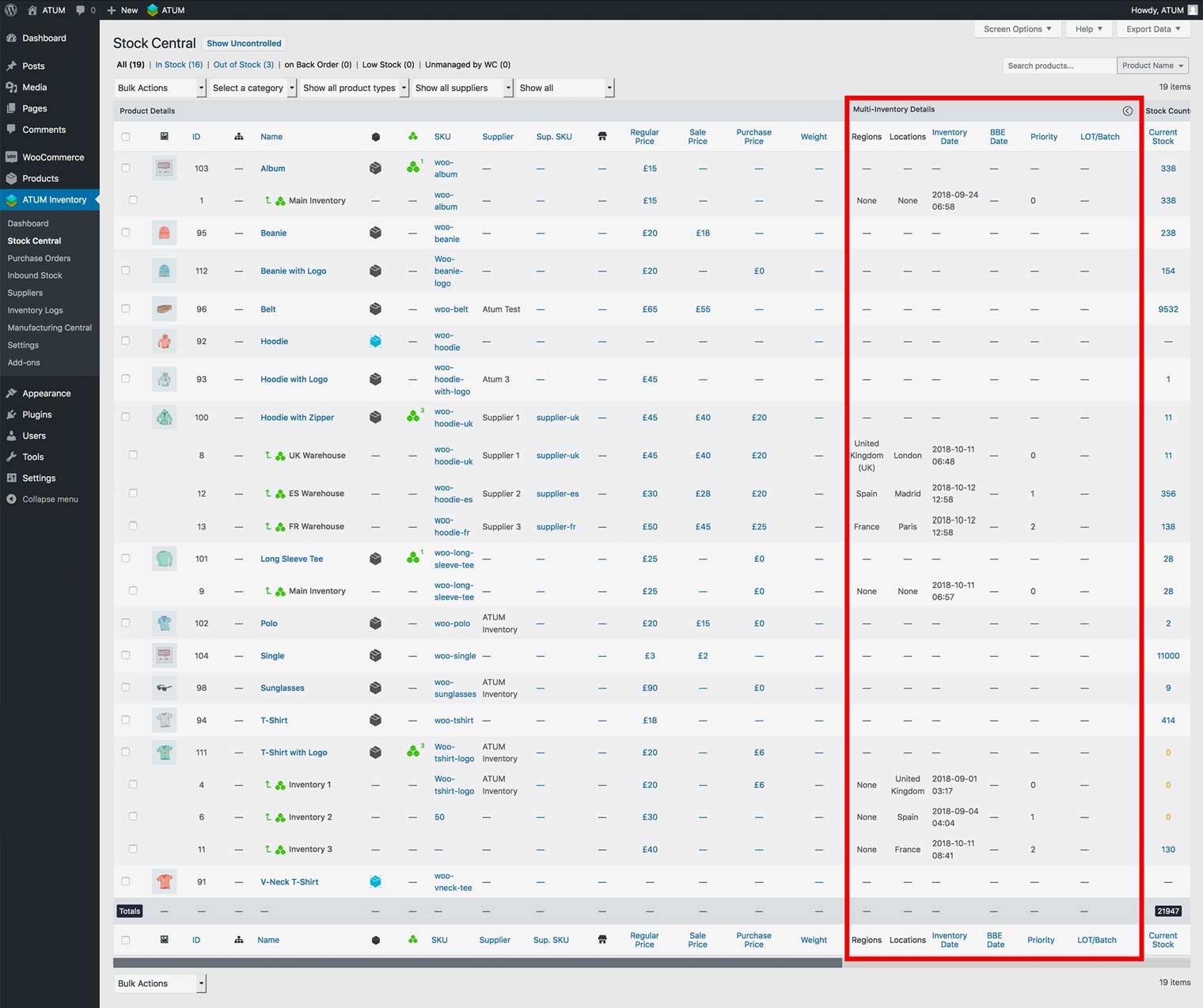
After the add-ons activation ATUM ads a set of new data columns into the Stock Central table.
These columns are:
- Region: Shows the region restrictions to the inventory.
- Location: Shows the inventory location (warehouse placement).
- Inventory Date: Shows the inventory creation date.
- BBE Date: Shows the Best Before End date.
- Priority: Shows the inventory selling priority number.
- LOT/Batch: Shows the LOT/Batch number.
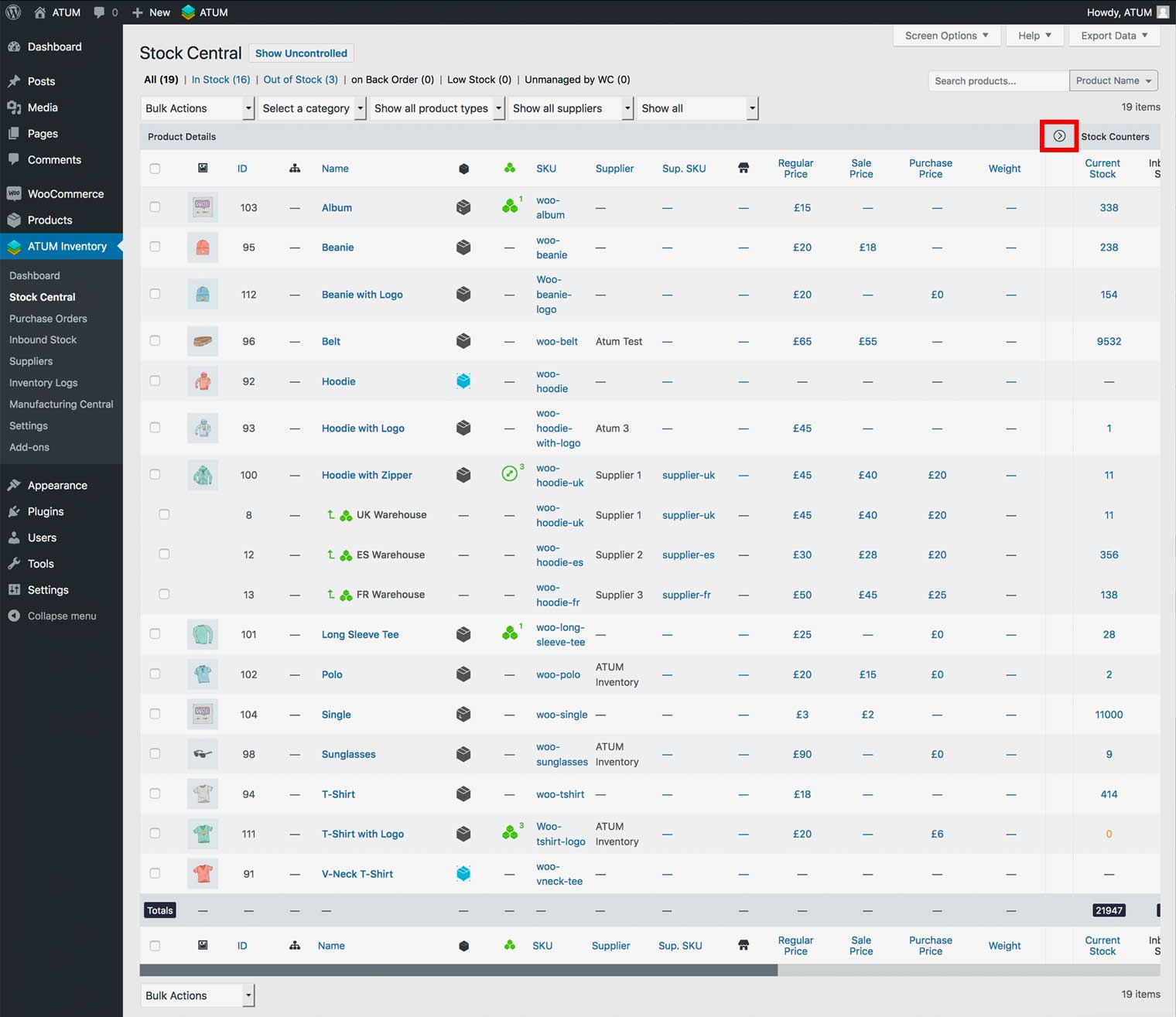
ATUM hides the multi-inventory data columns by default. If you would like to see the data, click the right-pointing arrow located in the table header to expand the columns.