
How to Write OFF an Inventory
There are two ways to write off an inventory, using single or bulk action:
Using bulk actions:
- Mark the checkbox to select the inventories you want to write off.
NOTE:The inventory box color for selected items will change to blue.
 NOTE:You can select all inventories using the Select All Button.
- Chose Write Off Selected in the Bulk Actions drop-down menu, and click APPLY.

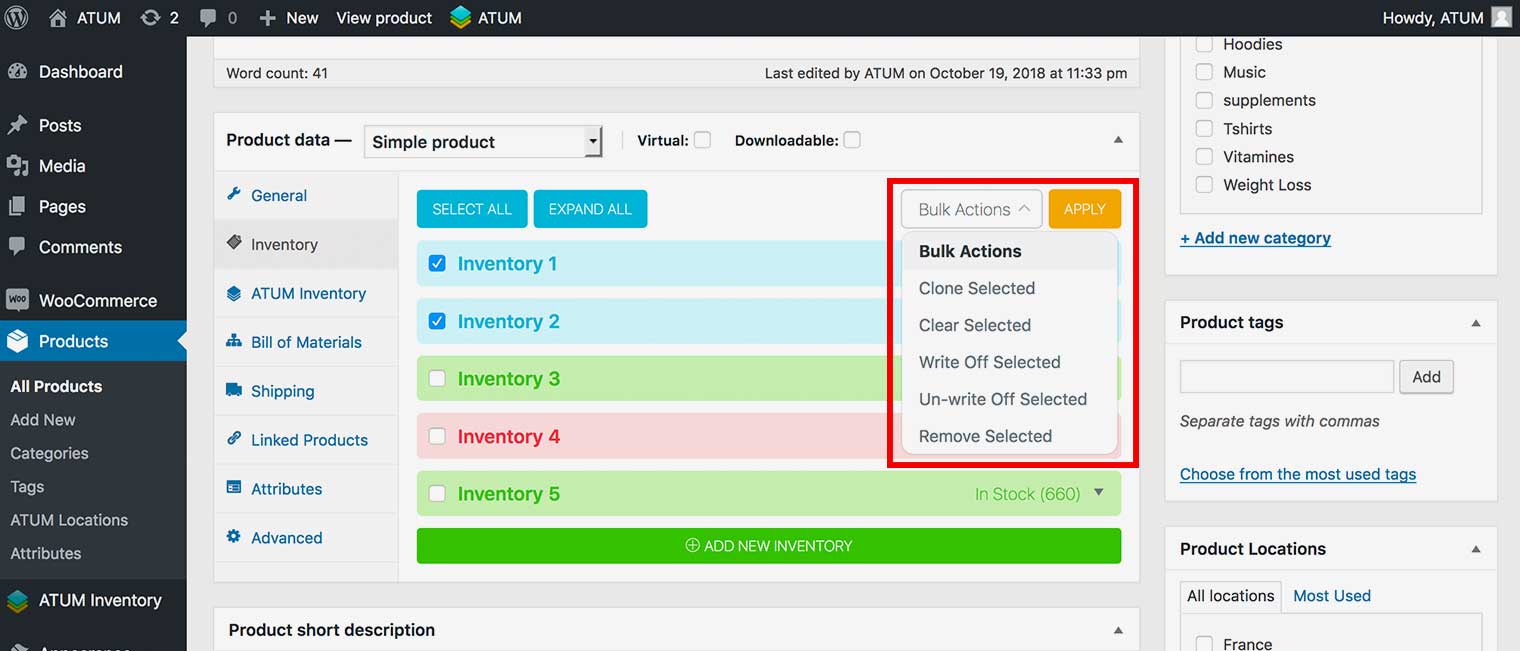
- Click Update to activate product changes.
Using single action:
- Open the inventory box using the ▼ icon on the right.
- Click the Remove Inventory icon.
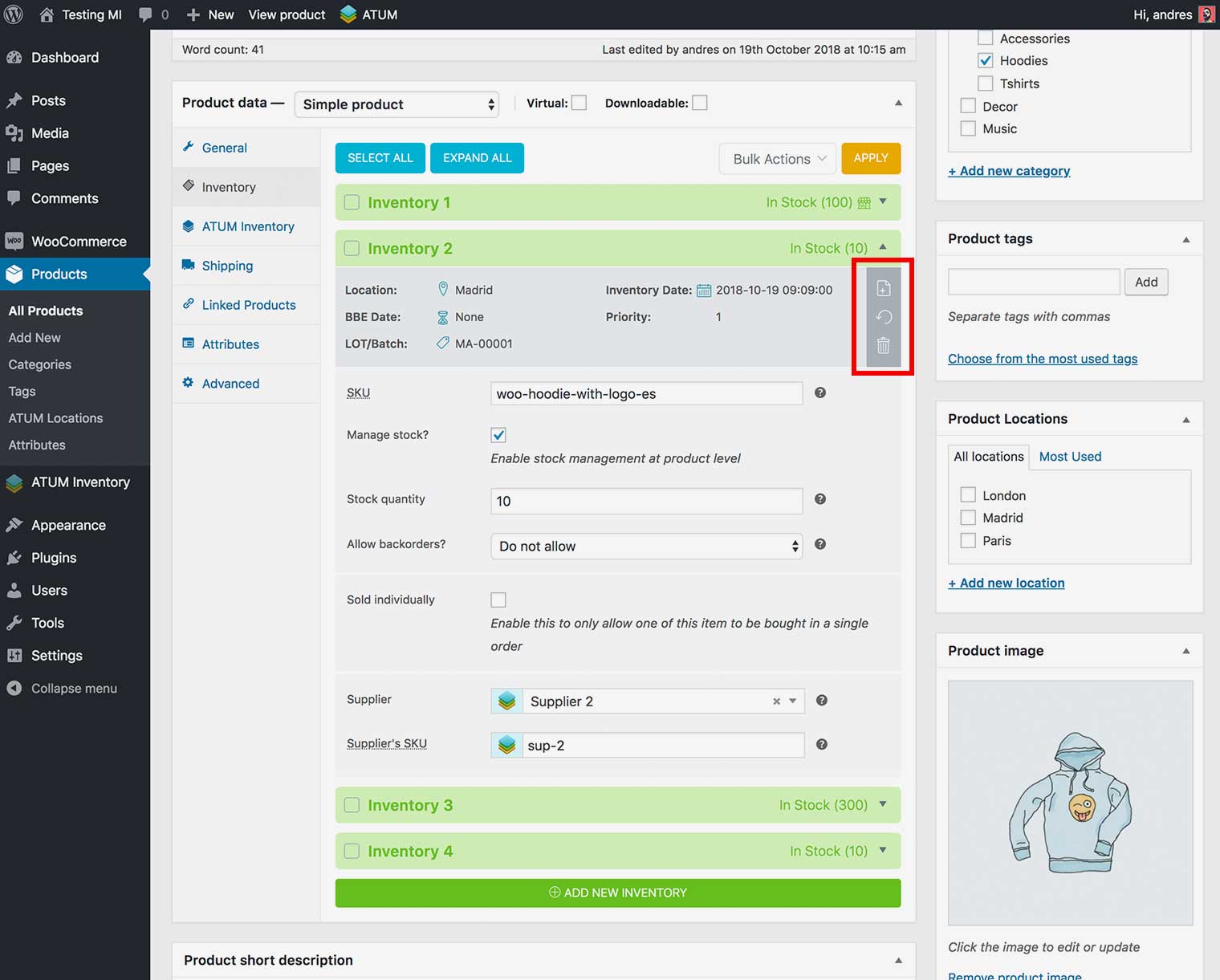
- A Pop-Up will ask to remove or write off the inventory record, then click WRITE Off.
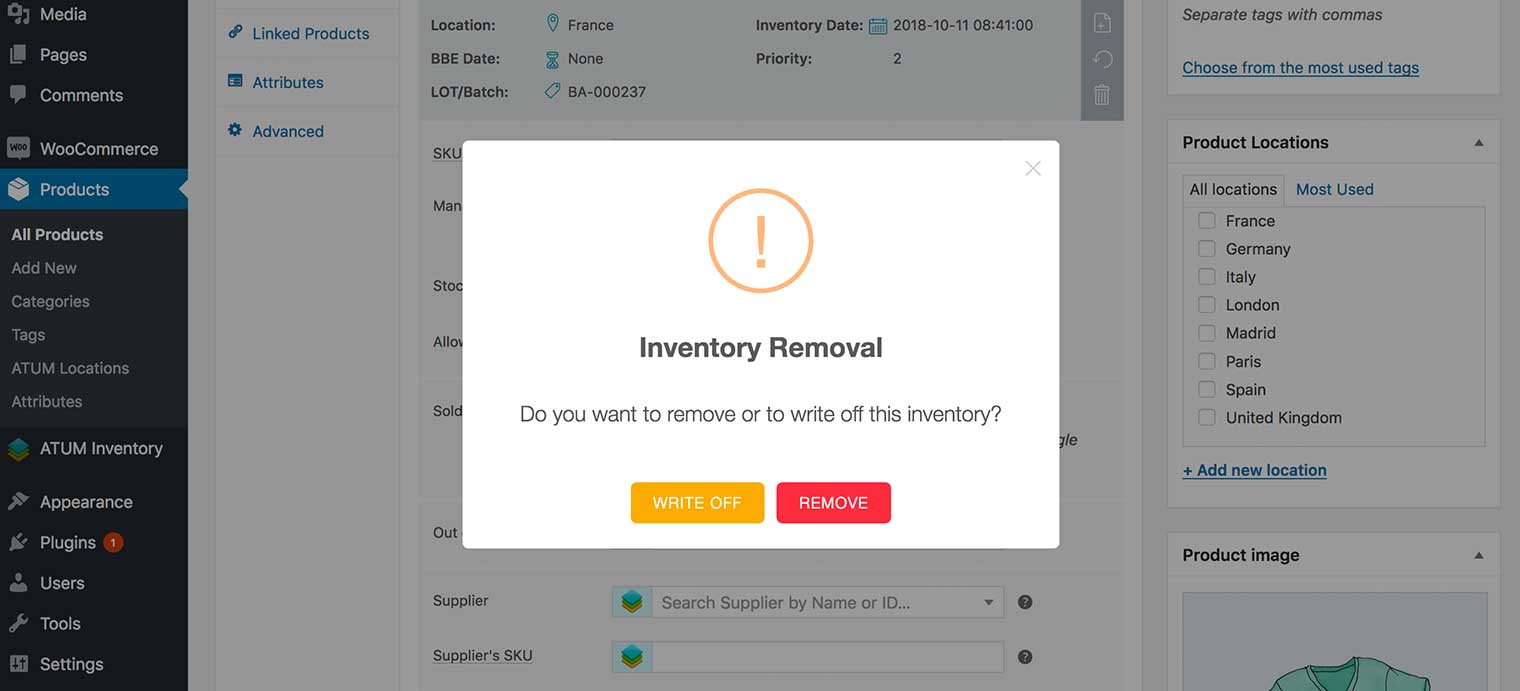
- Click Update to activate product changes.
NOTE:You can UN-WRITE Off already written off inventory record with bulk or single action following the same steps.
