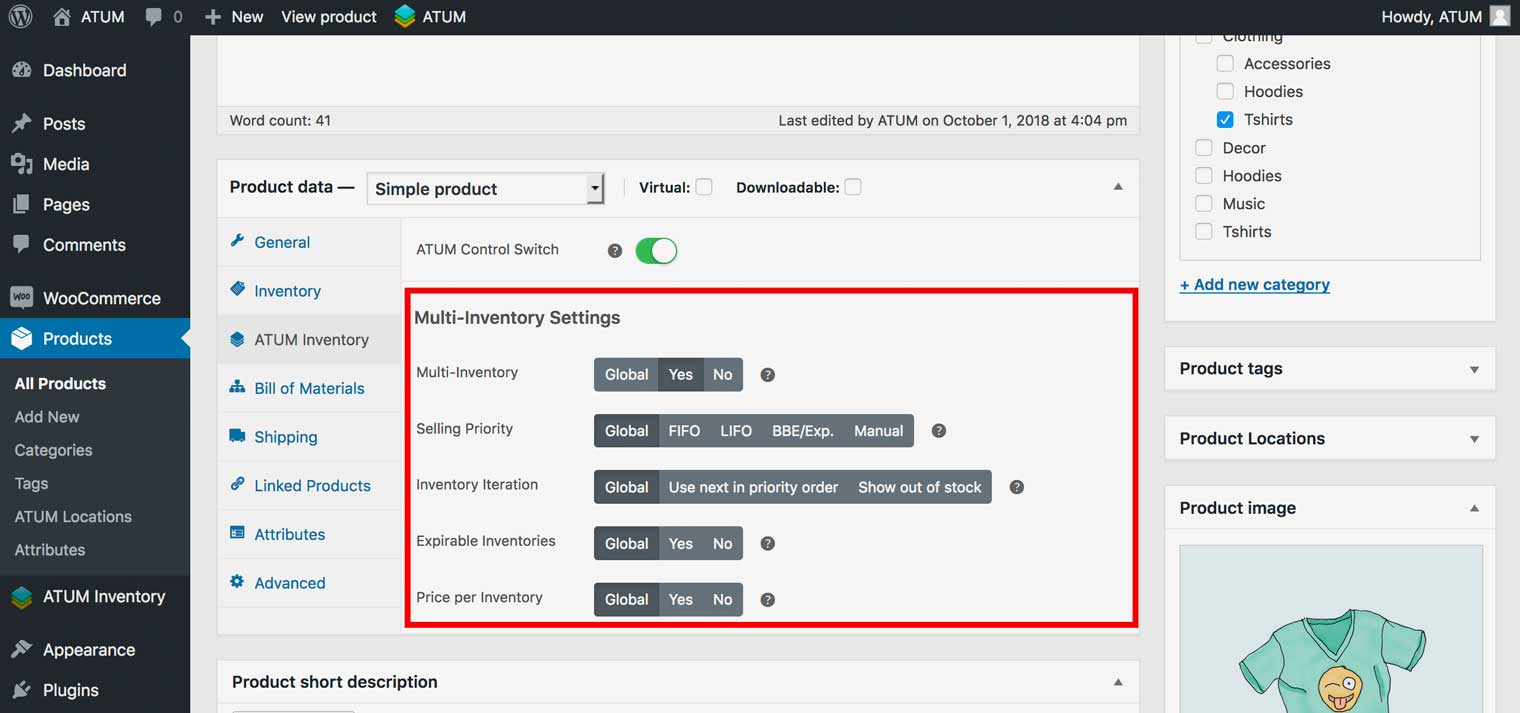
Multi-Inventory Settings
To access the ATUM Multi-Inventory settings navigate to your WordPress Dashboard, ATUM Inventory > Settings > MULTI-INVENTORY.
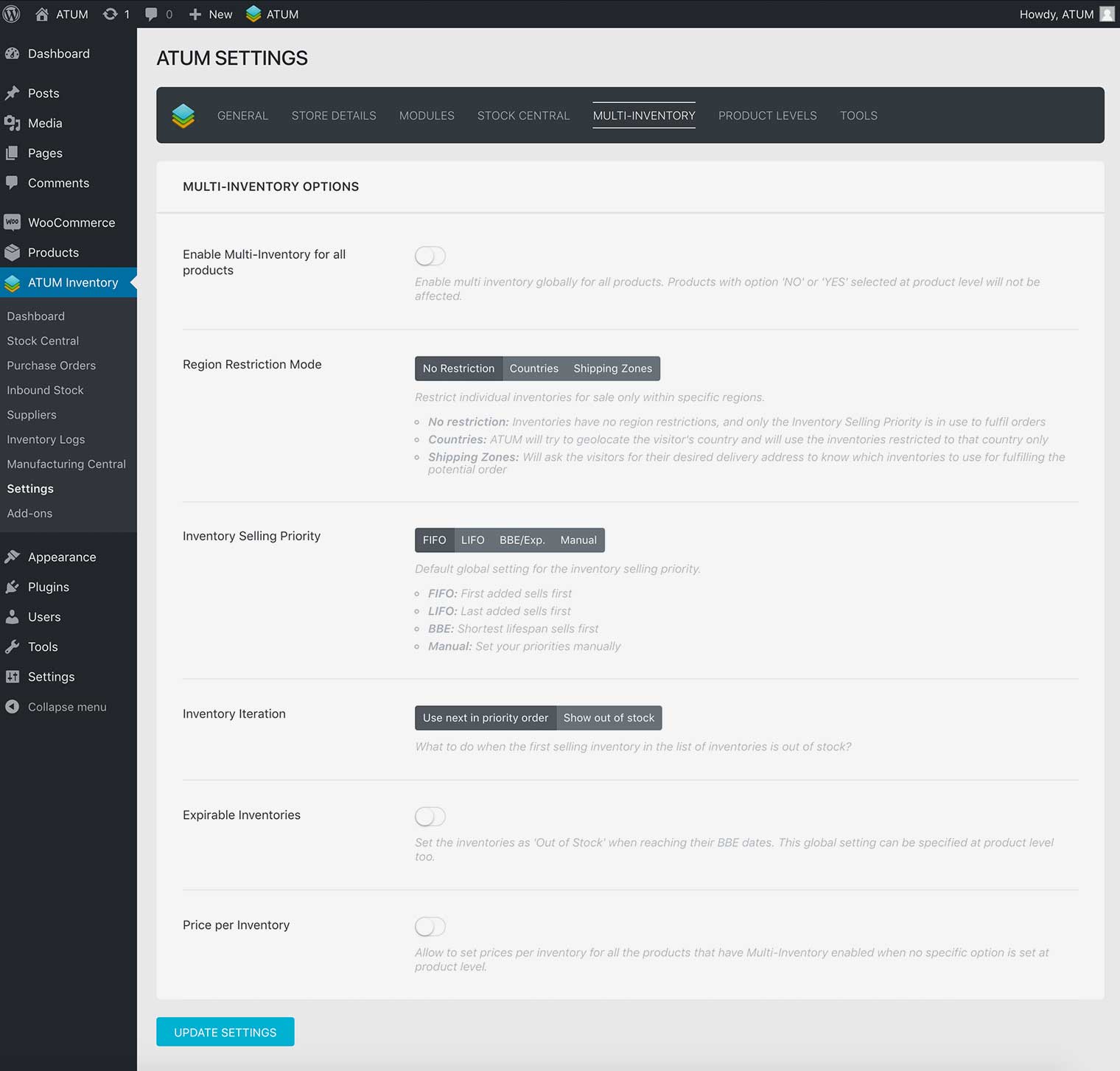
ENABLE MULTI-INVENTORY FOR ALL PRODUCTS
Enable multi inventory globally for all products. Products with option NO or YES selected at product level will not be affected.
REGION RESTRICTION MODE
Restrict individual inventories for sale only within specific regions:
- No restriction: Inventories have no region restrictions, and only the Inventory Selling Priority is in use to fulfil orders.
- Countries: ATUM will try to geolocate the visitor’s country and will use the inventories restricted to that country only.
- Shipping Zones: Will ask the visitors for their desired delivery address to know which inventories to use for fulfilling the potential order.
INVENTORY SELLING PRIORITY
Allow you to set the inventory selling priority. You can select:
- FIFO: First added sells first.
- LIFO: Last added sells first.
- BBE: Shortest lifespan sells first.
- Manual: Set your priorities manually.
INVENTORY ITERATION
Allow you to set the action when the first selling inventory in the list of inventories is out of stock. You can select between Use next in priority order or Show out of stock.
EXPIRABLE INVENTORIES
Enable this option to give inventories global Out of Stock status when they reach the BBE date.
PRICE PER INVENTORIES
Enable to give all inventories the option to have individual prices.