
SCREEN OPTIONS
To access the Screen Options, go to the Stock Central, Purchase Orders Inbound Stock, Suppliers or Inventory Logspages, and click Screen Options.
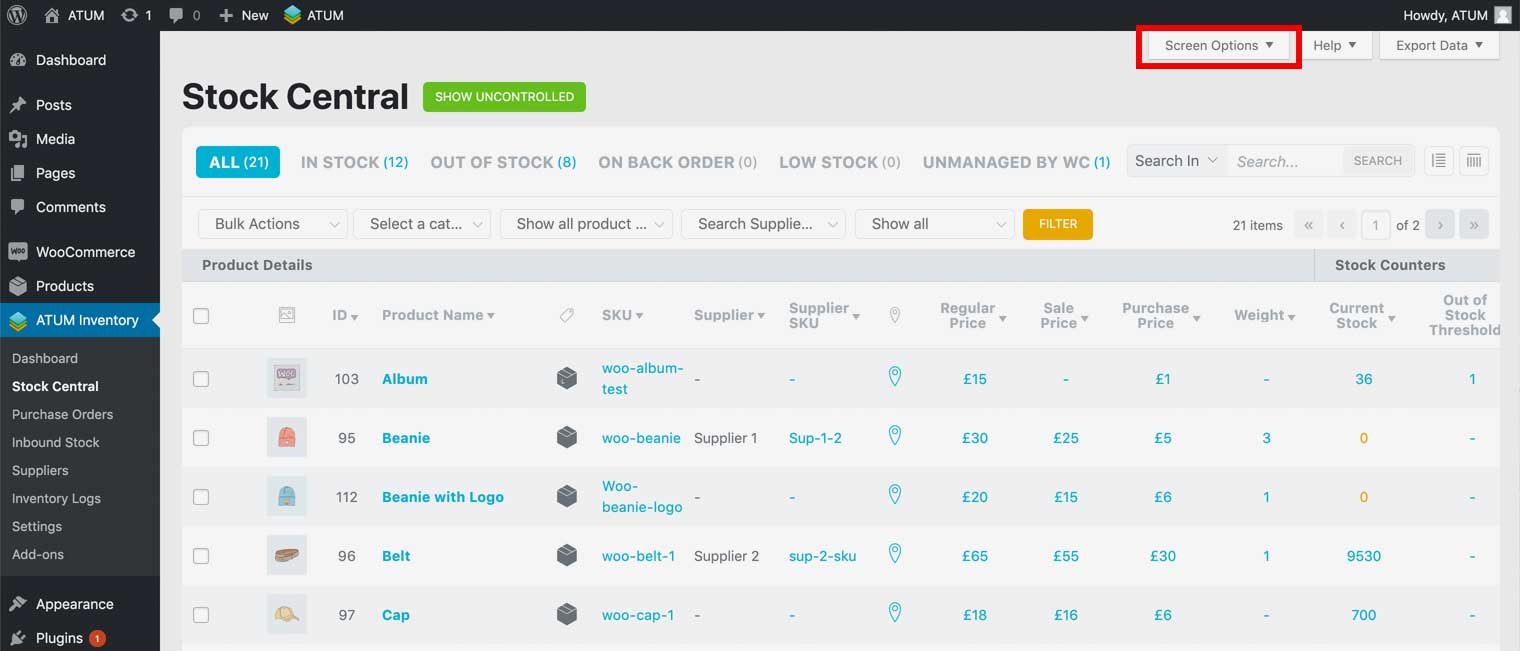
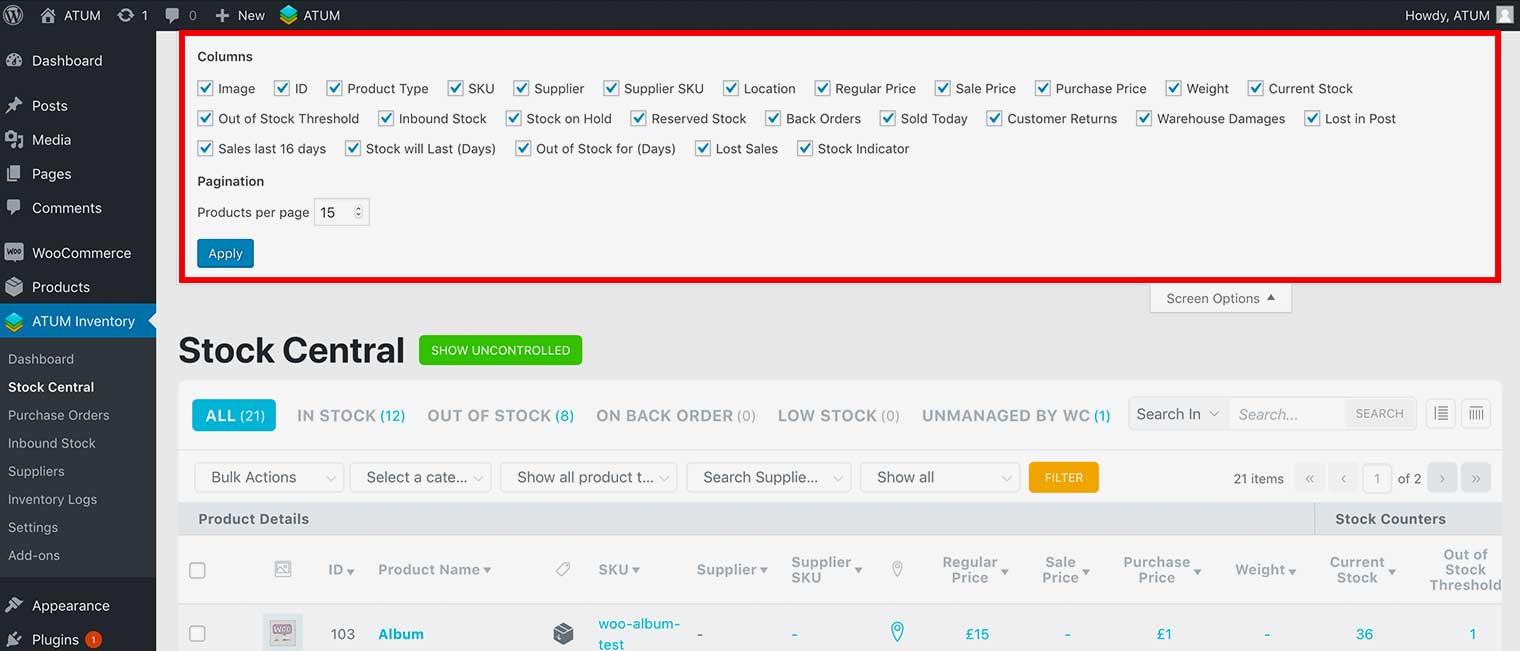
The Screen Options allow you to enable or remove the columns displayed on that particular page, as well as manage the number of items displayed per page.
To add a column to the page, select the checkbox next to the column, and then click Apply.
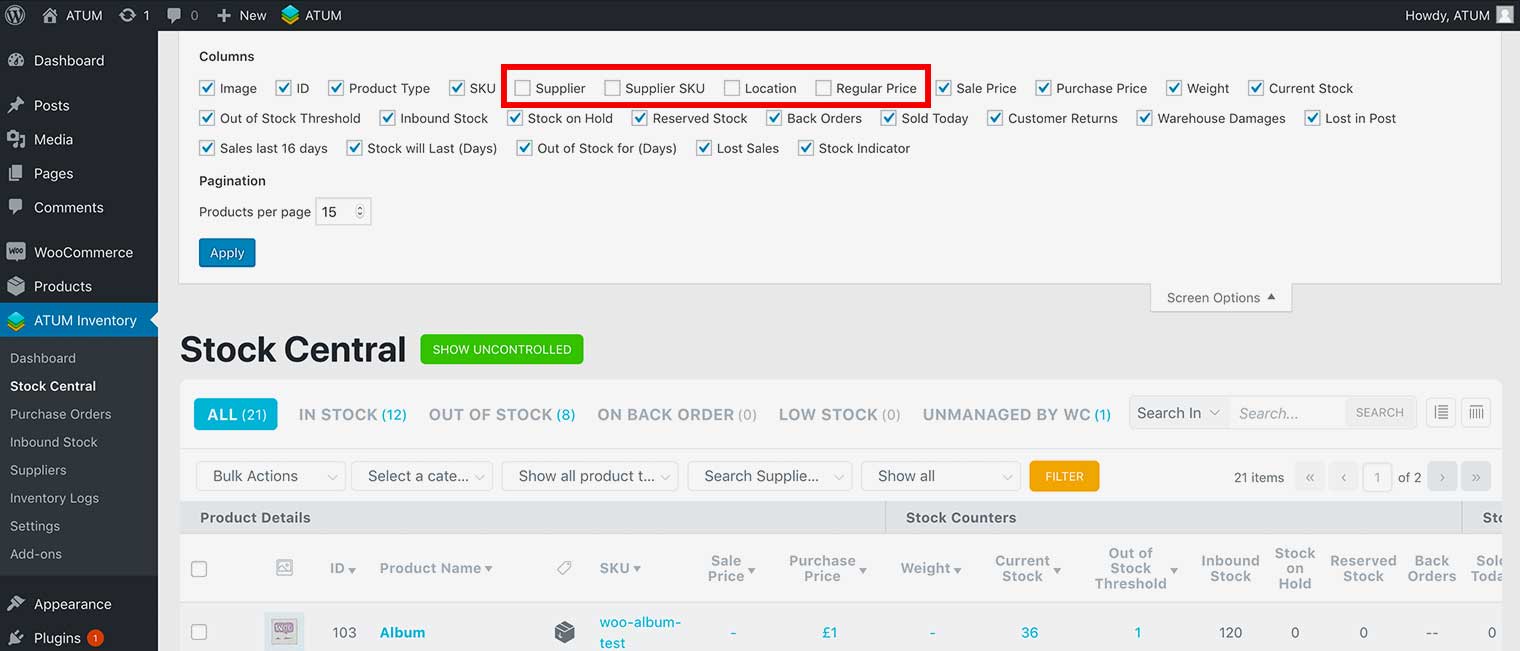
To remove a column from the page, remove the checkbox next to the column, and then click Apply.
To change the number of items displayed per page, enter an amount in the Products per page field, and click Apply.