
The Multi-Inventory data fields
Each inventory within a Multi-Inventory product has the following data fields:
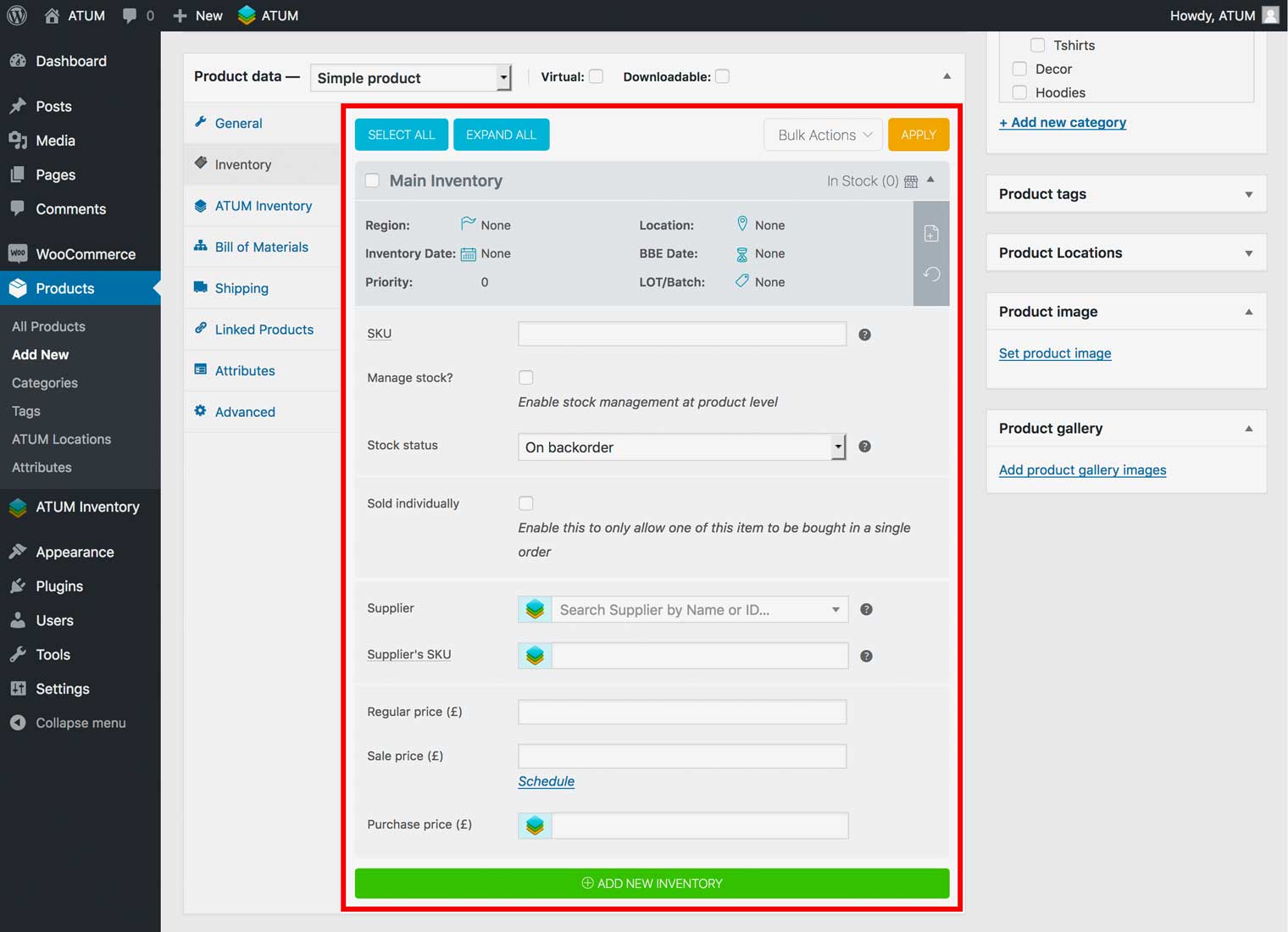
- Inventory Name: The name of the inventory record.
NOTE:The TOP is always the default WooCommerce inventory.
- Region: Add selling region restrictions to the inventory.
NOTE:This field is only available with Region Restriction Mode enabled.
- Location: Add the inventory location (warehouse placement). You can select from locations created in Products > ATUM Locations.
- Inventory Date: Set the inventory creation date.
NOTE:This date will be automatically added when creating a new inventory.
- BBE Date: Set the Best Before End date for the inventory (Called as well Expiry Date or Use By Date in other countries).
- Priority: The inventory selling priority number with 0 (Zero) being the default inventory.
- LOT/Batch: Add a LOT/Batch number for the inventory.
- SKU: Add your company’s SKU reference for the inventory.
- Manage Stock: Enable or disable the management at product level option for the inventory.
- Stock Quantity: Set the stock quantity for the inventory.
- Allow Backorders: Set backorders options (Do not allow, Allow or Allow but notify customer) for the inventory.
- Sold Individually: Enable or disable sold individually option for the inventory.
- Supplier: Add the inventory supplier.
- Supplier’s SKU: Add the inventory supplier’s SKU.
- Regular price: Add the inventory regular selling price.
- Sale price: Add the inventory sale price.
- Purchase price: Add the inventory purchase price.