What is the Region Restriction Mode
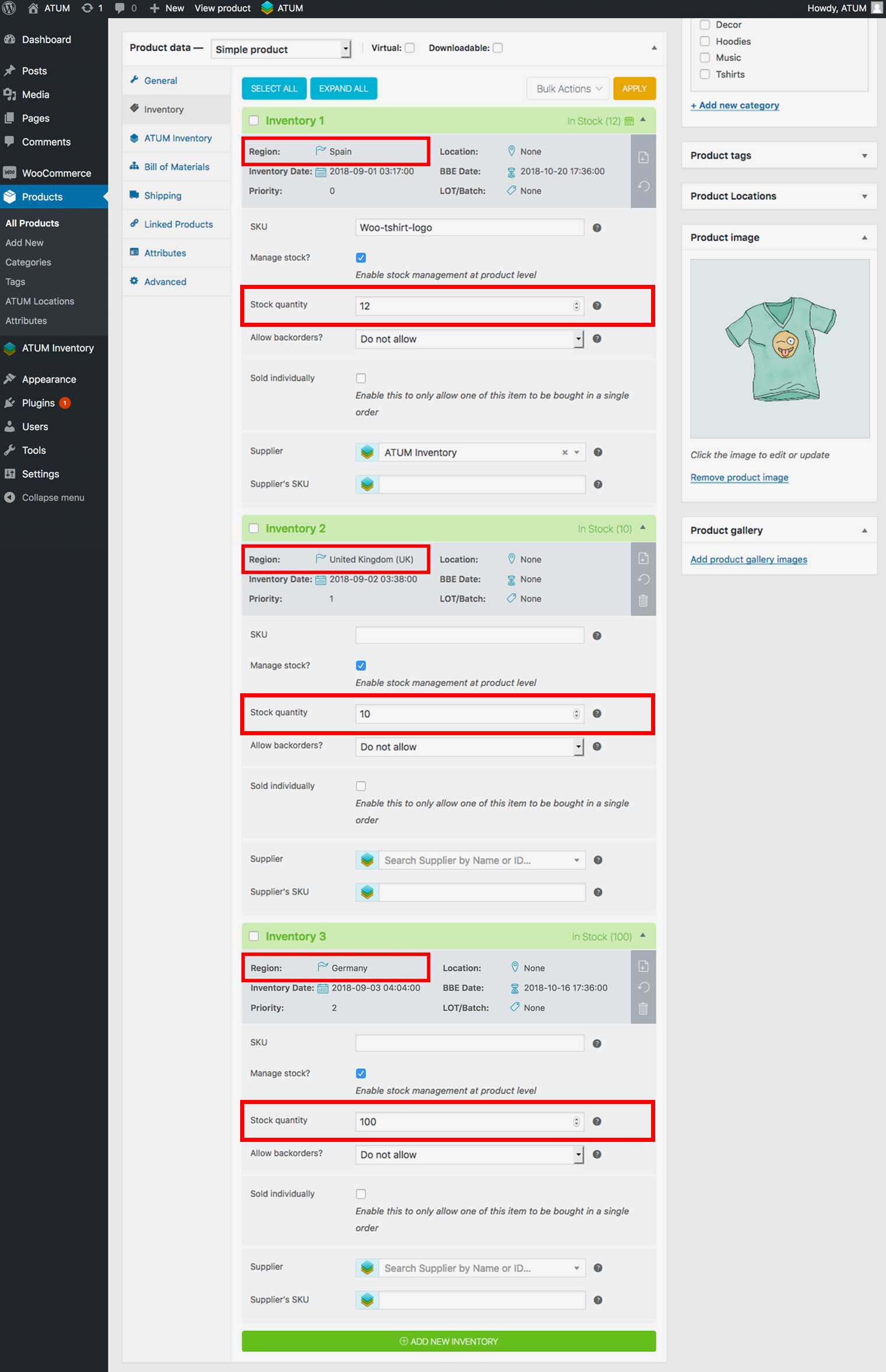
After successful installation and activation of the ATUM Multi-Inventory premium add-on, you get the ability to restrict individual inventories to specific geographical regions. You can do this by using the already built-in geolocation, restricting to countries or by setting up different shipping zones WooCommerce Documentation – Setting up Shipping Zones. You can find more details about both options further down this page. When you add a region restriction (Countries or Shipping Zones) to an inventory, only the visitors from this region will see the product. Buyers will be available to purchase the stock quantity assigned to these inventories. To visitors from different or unknown regions will the products appear as Out of Stock.
Example: you want to create a Multi-Inventory product with three inventories called: Inventory 1, Inventory 2 and Inventory 3; and you want to sell Inventory 1 only in Spain, Inventory 2 in the United Kingdom and Inventory 3 just in Germany. Here is how you can use the Multi-Inventory Region Restriction Mode to do it.