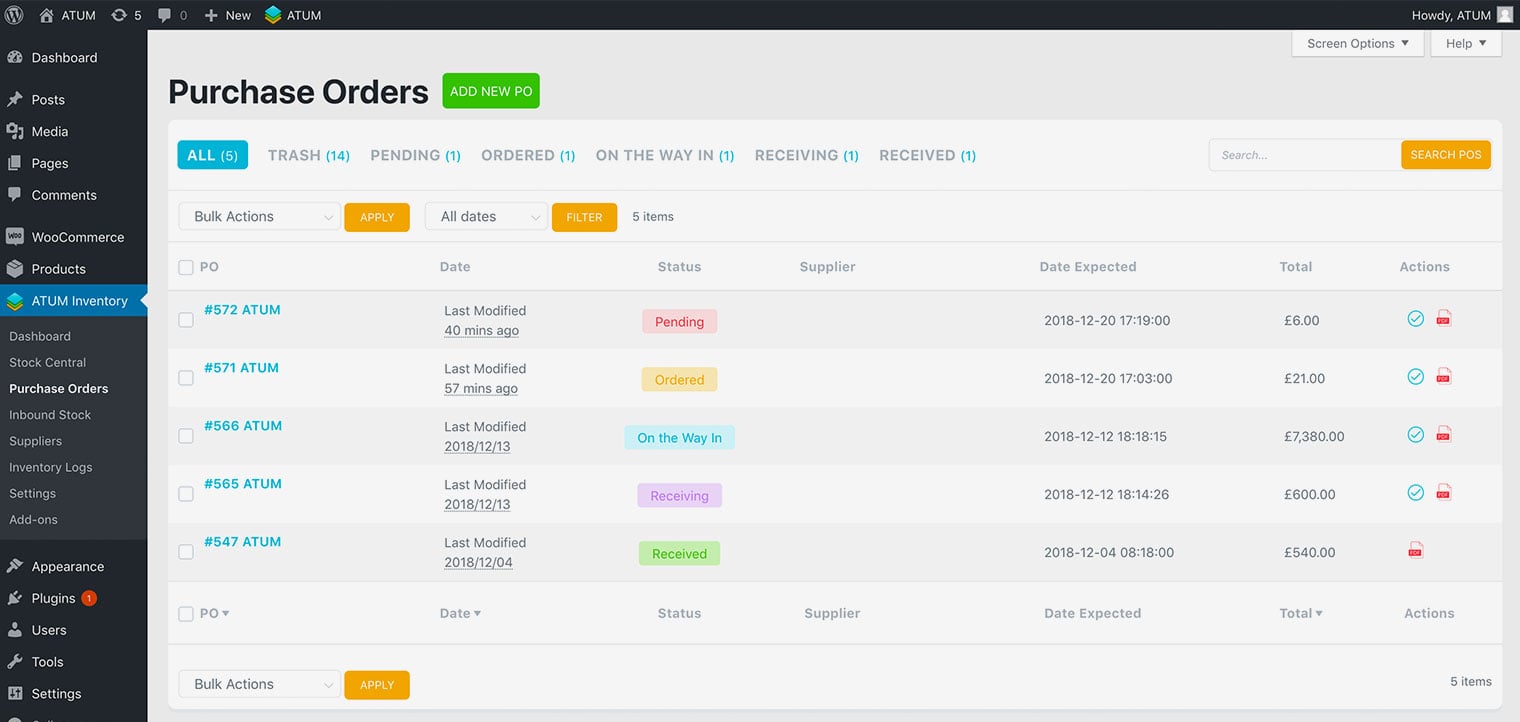
Tracking Purchase Orders
NOTE:For older versions than ATUM 1.5 read this article
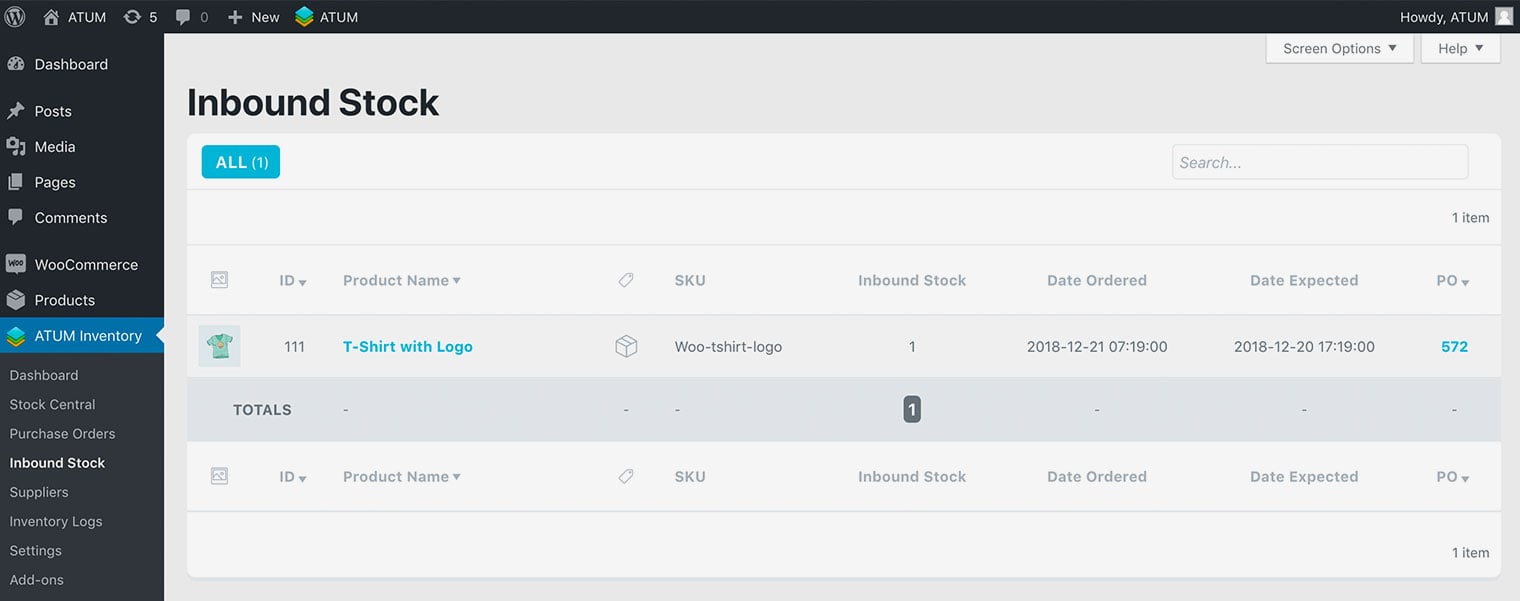
When a new Purchase Order is completed creates an item in the Inbound Stock page where you can track the purchase order. You can view this by going to ATUM Inventory > Inbound Stock. To view the purchase order again in case you need to make any edits, click the number in the PO column.
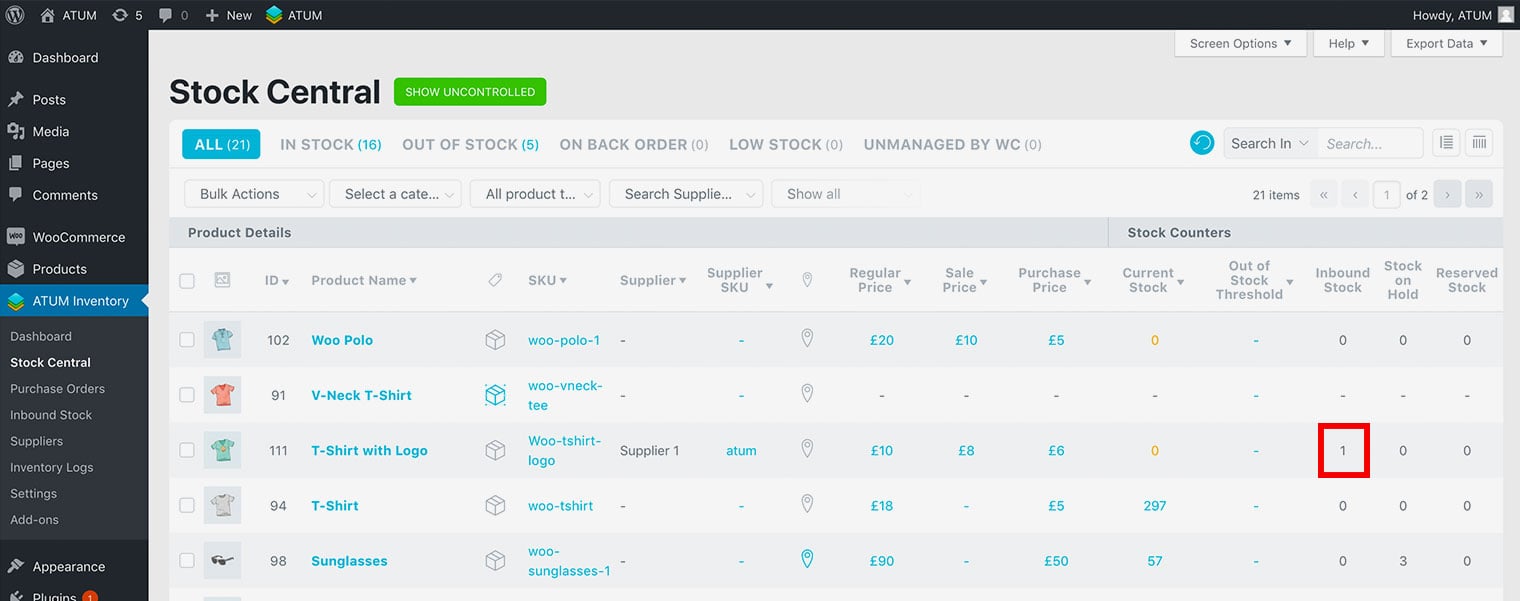
This also appears in Stock Central, so you know what is coming in.
PURCHASE ORDERS STATUSES
To get complete control over the tracking you can set the Purchase Orders with the following statuses:
- Pending: When create the PO but is not sent. All the products within these POs will show in the Inbound Stock list and reflect their totals in Stock Central.
- Ordered: When the PO is sent to the supplier (The products will keep in the Inbound Stock list).
- On the way in: When products are on the way (The products will keep in the Inbound Stock list).
- Receiving: When products were delivered but have not been registered yet (The products will keep in the Inbound Stock list).
- Received: When products were delivered and registered in the warehouse. When this status is activated the products will be added to your stock automatically and are no longer listed in Inbound Stock list and their totals not reflected in Stock Central’s Inbound Stock column.